GEO Fundamentals
Article Schema: Making Your Content AI-Readable
Quick Answer
Article schema is structured data that tells AI engines what your content is, who wrote it, and when it was published. Research shows pages with well-implemented Article schema appear more frequently in AI Overviews and citations. While it's not a guarantee, it removes a critical barrier between your expertise and AI visibility.
Your content is solid. Your research is thorough. Your writing is clear. But there's a checkbox you might be missing-the structured data that AI engines verify before citing anyone.
You can write the most comprehensive guide on your topic, optimize every heading, back every claim with sources. But if AI systems can't parse what type of content it is, who wrote it, or when it was published, you're asking them to guess.
Article schema removes the guesswork. It's the difference between handing someone a business card and expecting them to remember your name from a conversation three months ago.
What Article Schema Actually Is
Article schema is a specific type of structured data markup using the schema.org vocabulary. When you add it to your HTML, you're giving AI engines and search engines explicit information about your content-not just what it says, but what it is.
Think of it this way: when you read an article, you instinctively understand it's an article. You see the headline, the author name, the publication date. Your brain processes those signals without conscious effort.
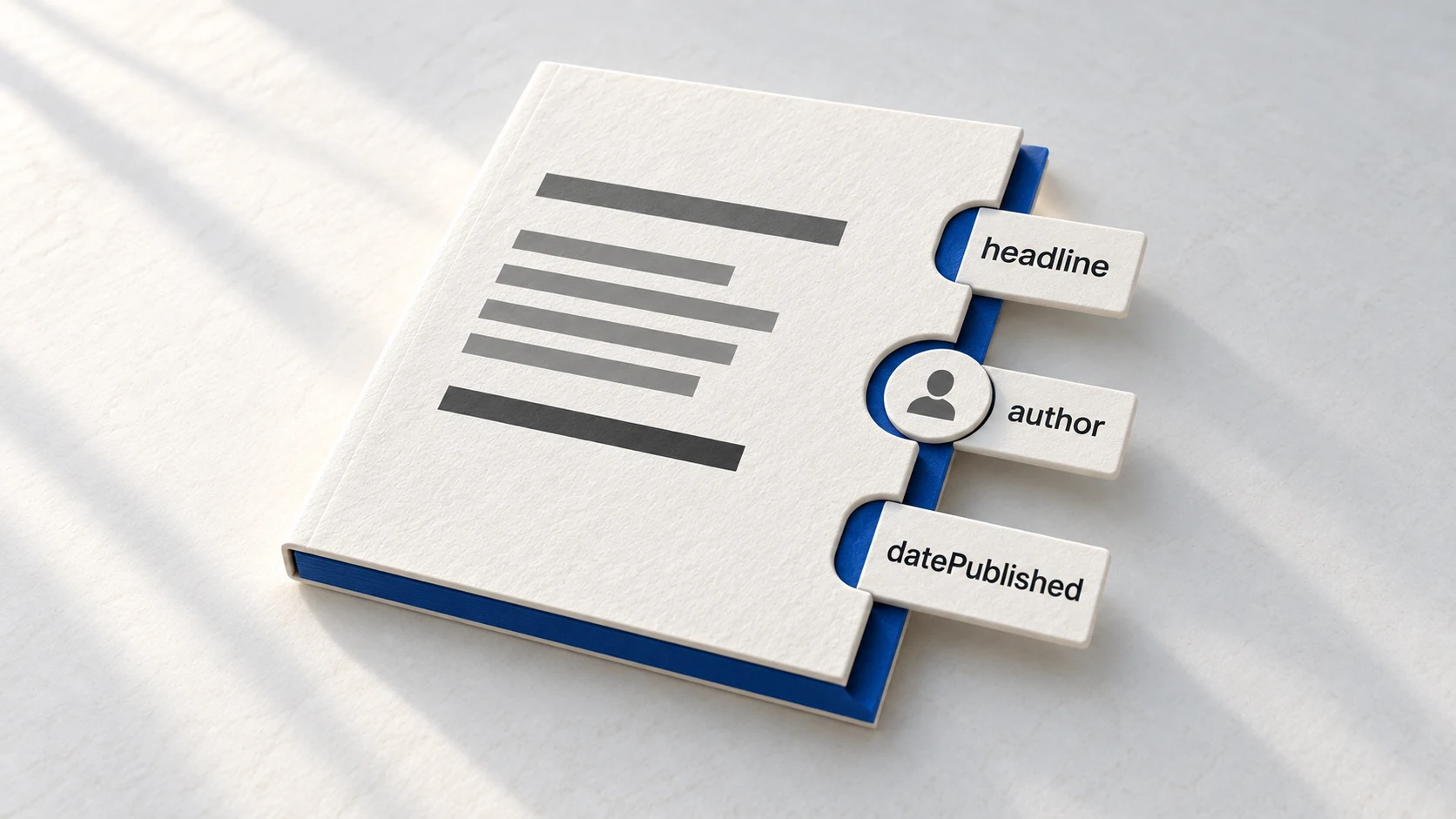
AI engines don't have that instinct. They need explicit markers. Article schema provides those markers in a machine-readable format, telling them: "This is an article. Here's the headline. Here's who wrote it. Here's when it was published."
Article schema vs BlogPosting schema: BlogPosting is a subtype of Article, designed specifically for blog content. Use BlogPosting for blog posts, Article for news articles and formal reports. Both inherit the same core properties, so the implementation is nearly identical.
Definition
Article Schema
Structured data markup using schema.org vocabulary that tells AI engines and search engines what your content is (article type), who wrote it (author attribution), and when it was published-providing the machine-readable signals needed for confident AI citations.
Why AI Engines Need Article Schema
When ChatGPT or Perplexity evaluates your content for citation, they're not just reading the words. They're looking for signals that establish credibility, recency, and authority.
Article schema provides three critical signals AI engines need:
Signal #1
Content Type Clarity
Is this a product page? A homepage? An article? Without schema, AI engines guess based on content structure. With Article schema, there's no ambiguity.
This matters because AI engines treat different content types differently. They cite articles more readily than product pages because articles are designed to inform, not sell.
Signal #2
Author Attribution
Who wrote this? What are their credentials? Article schema connects your content to your author profile, which should link to your expertise signals.
According to Google's documentation, author information helps Google "understand more about the web page" and influences how content appears across search properties.
Signal #3
Publication Recency
When was this published? Has it been updated? Research shows content published or updated within 90 days receives 40-60% more citations than older content.
Article schema's datePublished and dateModified properties make recency explicit. AI engines don't have to guess from your URL or content-they know exactly how current your information is.
Core Properties That Matter (for AI Citations)
Article schema has dozens of possible properties. But for AI visibility, only 7-8 properties significantly influence citation likelihood.
Required Properties
headline
The title of your article. Keep it under 110 characters to avoid truncation in search results.
"headline": "Article Schema: Making Your Content AI-Readable" author
Name and URL of the person or organization who wrote the content. This should link to a Person or Organization schema.
"author": {"@type": "Person", "name": "Arun Nagarathanam", "url": "https://aruntastic.com/about"} datePublished
First publication date in ISO 8601 format (YYYY-MM-DD). This signals content age to AI engines.
"datePublished": "2025-12-16" image
High-resolution images at multiple aspect ratios. Google recommends 16x9, 4x3, and 1x1 versions.
"image": ["https://example.com/image-1200x675.jpg", "https://example.com/image-800x600.jpg"] Recommended Properties (High Impact)
dateModified
Most recent update date. Updating this property when you refresh content can trigger re-evaluation by AI engines.
"dateModified": "2025-12-16" publisher
The organization that published the content. Should link to Organization schema with logo.
"publisher": {"@type": "Organization", "name": "Aruntastic", "logo": "https://aruntastic.com/logo.png"} wordCount
Number of words in the article. AI engines use this to gauge content depth and comprehensiveness.
"wordCount": 2400 How to Implement Article Schema (Step-by-Step)
You don't need to be a developer to add Article schema. AI tools can generate it for you in seconds.
Gather Your Content Details
Before you ask AI to generate schema, collect these details:
- • Article headline
- • Author name and author page URL
- • Publication date (YYYY-MM-DD)
- • Most recent update date (if updated)
- • Featured image URL
- • Word count (approximate is fine)
Generate the Schema with AI
Open ChatGPT, Claude, or Gemini and use this prompt:
"Generate Article schema markup in JSON-LD format with these details:
Headline: [your headline]
Author: [name and URL]
Published: [date]
Modified: [date]
Image: [URL]
Word count: [number]
Publisher: [organization name and logo URL]"
The AI will generate properly formatted JSON-LD code ready to paste into your HTML.
Add to Your HTML
Copy the generated code and paste it inside the <head> section of your article page, wrapped in a <script> tag:
<script type="application/ld+json">
{
  "@context": "https://schema.org",
  "@type": "Article",
  "headline": "Your Article Title",
  "author": {
    "@type": "Person",
    "name": "Author Name",
    "url": "https://example.com/about"
  },
  "datePublished": "2025-12-16",
  "dateModified": "2025-12-16",
  "image": "https://example.com/image.jpg",
  "wordCount": 2400,
  "publisher": {
    "@type": "Organization",
    "name": "Your Site",
    "logo": "https://example.com/logo.png"
  }
}
</script> Validate Your Schema
Go to Google's Rich Results Test and paste your page URL. This tool will show you:
- • Whether your schema is valid
- • Which properties were detected
- • Any errors or warnings to fix
This step takes 30 seconds and saves you from wondering whether it actually worked.
Schema Quality vs Schema Presence
Here's something that surprised researchers at Search Engine Land: having schema isn't enough. The quality of your schema implementation appears to influence AI Overview visibility.
They conducted a controlled experiment with three nearly identical pages:
✓
Well-Implemented Schema
Appeared in AI Overview
Ranked as high as Position 3
~
Poorly Implemented Schema
No AI Overview appearance
Ranked for 10 keywords (peaked at #8)
✗
No Schema
Not indexed by Google
Didn't rank for any keywords
The researchers acknowledge these results are "promising, but inconclusive"-there could be unseen variables. But the pattern is clear: schema quality, not just presence, appears to matter.
What made the "good" schema good? Complete Article schema with all recommended fields, FAQ schema for common questions, breadcrumb navigation schema, proper ISO 8601 date formatting, and complete author and publisher information.
Common Mistakes That Kill Citations
Most Article schema implementations are technically valid but strategically incomplete. Here's what people get wrong:
Mistake #1: Missing Author Details
You include author name but no URL linking to their profile. AI engines can't verify credentials without the link.
Fix: Always include author.url pointing to a page with Person schema and expertise signals.
Mistake #2: Wrong Date Format
Using MM/DD/YYYY or DD/MM/YYYY instead of ISO 8601 format (YYYY-MM-DD). AI engines reject improper formats.
Fix: Always use YYYY-MM-DD. ChatGPT will convert it for you if you ask.
Mistake #3: Generic Article Type
Using "Article" for everything instead of more specific types like BlogPosting, NewsArticle, or TechArticle.
Fix: Use the most specific schema type that fits your content. BlogPosting for blog posts, NewsArticle for news.
Mistake #4: Ignoring dateModified
You update your content but don't update the dateModified property. AI engines think it's still old information.
Fix: Every time you update content significantly, update dateModified. Fresh content gets cited more.
Mistake #5: Missing Publisher Information
No publisher property, or publisher without logo. AI engines use this to establish organizational authority.
Fix: Include publisher with @type Organization, name, and logo URL. Link to full Organization schema on your about page.
FAQ
Do I need Article schema on every blog post?
What's the difference between Article and BlogPosting schema?
Can I just use a plugin to add Article schema?
Will Article schema guarantee my content gets cited?
Make Your Content AI-Readable
Article schema is just one piece of the GEO puzzle. Want to know which schema types matter most for your content?
I've built a system to help brands go from invisible to cited in AI responses. But before I share it with you, I want you to see exactly where you stand.
Take the GEO Readiness Quiz →60 seconds · Personalized report · Free
Continue Learning
Dive deeper into AI search with these related articles:
The Complete Schema Markup Guide for GEO
Master schema markup for AI visibility. Essential types, implementation strategy, and common mistakes.
Person Schema: Building Author Authority for AI Citations
Discover how Person schema helps AI engines verify author credibility and connect expertise signals across the web for higher citation rates.
FAQPage Schema: Your Secret Weapon for AI Visibility
Pages with FAQ schema are 3.2x more likely to appear in AI Overviews. Learn the implementation strategy that maximizes AI citation potential.