GEO & AI Search
How to Use AI Prompts Effectively for GEO
Quick Answer
Effective GEO prompts share three qualities: they specify the exact output format, they include real data from your situation, and they request concrete deliverables instead of advice. Most prompts fail because they're too vague-"help me with GEO" returns platitudes, while "analyze this content for answer capsules and provide rewrites" returns actionable specifics. This guide shows you how to get maximum value from every GEO prompt you use.
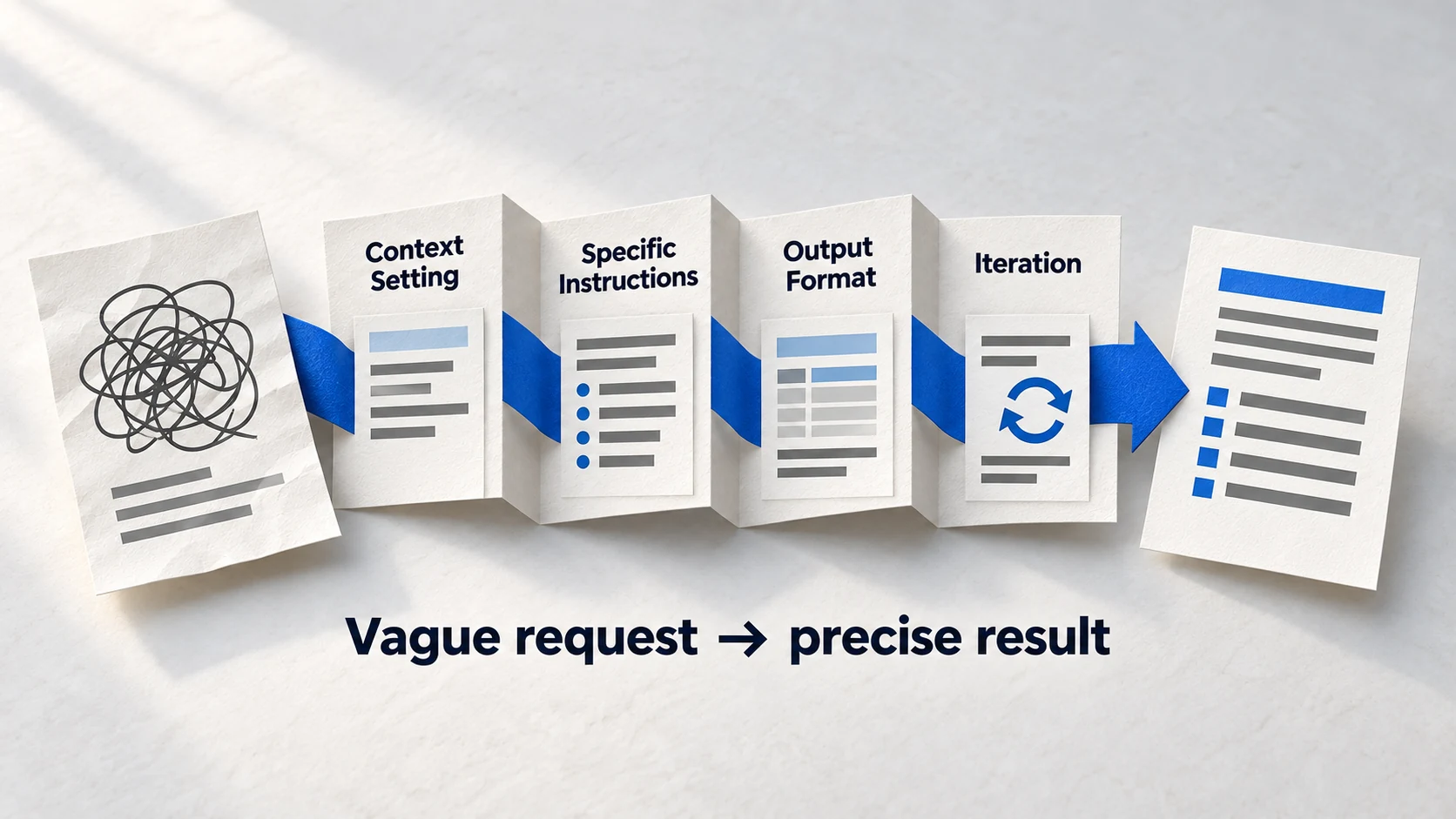
You've got the prompts. You open ChatGPT, paste one in, and... get back something useless. Generic advice you could have found on any marketing blog. What went wrong?
The prompts aren't the problem. The prompts are precisely engineered templates. The problem is how you're using them-what you're putting in, and what you're expecting out. A prompt is only as good as the context you provide.
This guide is meta: it's about how to use prompts effectively, not about individual prompts themselves. By the end, you'll know why prompts fail, what makes them work, how to choose the right one, and how to customize any prompt for your specific situation.
Why Most GEO Prompts Fail
AI prompts fail for predictable reasons. Understanding these failure modes helps you avoid them-and helps you diagnose problems when outputs disappoint.
The Five Prompt Failure Modes
- 1
Vague Input, Vague Output
If you ask 'help me optimize for AI search,' you'll get generic advice about schema and content quality. The AI has nothing specific to analyze, so it retreats to broad principles. Fix: Always include real content, real URLs, or real data. The prompt should reference YOUR stuff, not ask about stuff in general.
- 2
Missing Context
The AI doesn't know your industry, audience, or goals unless you tell it. 'Analyze this content' without context about who it's for produces generic analysis. Fix: Include 2-3 sentences of context before your main request-your industry, target audience, main competitors, and primary goal.
- 3
No Output Format Specified
Without format guidance, AI models default to essay-style responses-paragraphs of explanation that are hard to act on. Fix: Tell the AI exactly what format you want: lists, tables, templates, or specific deliverables. 'Provide 5 bullet points' or 'create a table with columns for X, Y, Z' forces actionable structure.
- 4
Asking for Advice Instead of Analysis
Advice is cheap and generic. Analysis of specific content, data, or situations is valuable. 'What should I do for GEO?' = advice. 'Analyze this page for citation-readiness issues' = analysis. Transform 'What should I...' questions into 'Analyze this and tell me...'
- 5
Single-Pass Thinking
Complex GEO tasks need multiple passes. Trying to audit, analyze, and create recommendations in one prompt overloads the AI. Fix: Break complex tasks into sequential prompts, using output from one as input to the next. First prompt: audit. Second prompt: analyze gaps. Third prompt: create action plan.
Prompt Quality Comparison
Anatomy of an Effective GEO Prompt
Every effective GEO prompt has five components. When prompts fail, one or more of these components is missing or weak.
Definition
The 5-Component Prompt Structure
Role + Context + Task + Format + Input. Role tells AI who to be, Context explains your situation, Task specifies what you need, Format defines output structure, Input provides the raw material. Missing any component degrades results.
Component 1: Role Assignment
"You are a GEO specialist..." or "You are a content strategist..." primes the AI to think from a specific perspective. Without a role, the AI defaults to generic assistant mode.
Role Examples:
❌ Bad: "Help me with my content"
✅ Good: "You are a GEO content optimizer specializing in answer-first transformation."

❌ Bad: "What should I track?"
✅ Good: "You are a GEO measurement specialist with expertise in AI platform visibility tracking."
Component 2: Context Setting
2-3 sentences about your situation: industry, audience, current state, goal. Context prevents the AI from making wrong assumptions.
Context Examples:
❌ Bad: "Analyze this page"
✅ Good: "I run a B2B SaaS company targeting mid-market finance teams.
   We're currently invisible in AI search and want to establish entity presence.
   Analyze this About page for entity signals."

❌ Bad: "Create a tracking system"
✅ Good: "We're starting GEO optimization for a local law firm.
   No previous AI visibility work has been done.
   Create a baseline visibility tracking system appropriate for a local business."
Component 3: Specific Task
The exact job you want done. Not "help me" but "analyze X," "create Y," "compare Z." Verbs matter-they signal whether you want analysis, creation, or evaluation.
Task Clarity:
❌ Vague: "Help me with schema"
✅ Specific: "Create Organization schema markup for this business"

❌ Vague: "Look at my competitors"
✅ Specific: "Compare citation rates across these 3 competitors and identify gaps"

❌ Vague: "What's wrong with my content?"
✅ Specific: "Score this content on 5 citation-readiness dimensions and provide fixes for gaps"
Component 4: Output Format
Tell the AI exactly what format you want. Lists, tables, templates, scorecard format, numbered steps-specificity prevents essay-mode responses.
Format Specification:
❌ Bad: "Give me recommendations"
✅ Good: "Provide recommendations as:
   1. Issue (one sentence)
   2. Fix (specific action)
   3. Priority (High/Medium/Low)"

❌ Bad: "Analyze the content"
✅ Good: "Create a table with columns:
   - Section heading
   - Current structure
   - Recommended change
   - Expected impact"
Component 5: Real Input Data
Paste your actual content, URLs, tracking data, or competitive information. The AI can only analyze what you provide. Truncated or example data = incomplete analysis.
Input Guidance:
❌ Bad: "Here's an example of my content: [brief excerpt]"
✅ Good: "Here's the full About page content: [paste complete content]"

❌ Bad: "I've been tracking some metrics"
✅ Good: "Here's my tracking data from the past 4 weeks:
   [paste full spreadsheet data or formatted table]"

❌ Bad: "We have some competitors"
✅ Good: "Main competitors: [Company A - URL], [Company B - URL], [Company C - URL]"
Pro Tip
When in doubt, add more input data. AI models handle large inputs well, and more context produces more relevant analysis. Don't truncate your content to 'save tokens'-incomplete input produces incomplete output.
Choosing the Right Prompt for Your Situation
The GEO Accelerator Toolkit has 100 prompts across 6 categories. How do you know which one to use? Start by identifying your immediate need.
Question
What's your immediate GEO need?
Start with Category 1: Entity Audit prompts (especially #1). Establish baseline before optimizing.
Use Category 2: Content Structuring prompts (#21-30). Transform existing content for AI citation.
Use Category 3: Measurement prompts (#86-95). Establish tracking before you need to prove results.
Use Category 4: Digital PR prompts (#56-70). Build external authority signals.
Use Platform Optimization prompts (#41-55). Customize for ChatGPT, Perplexity, or others.
Use Reporting prompts (#92-94). Transform data into stakeholder-friendly formats.
How to use this decision tree: Find the option that matches your current situation. The recommended prompt category is your starting point-not the only prompts you'll use, but where to begin.
Prompt Selection Checklist
- Identify your immediate goal - What do you need to accomplish this week?
- Check your current GEO maturity - Foundation work before optimization
- Gather required inputs before starting - Content, data, competitor info
- Choose one prompt to start - Don't try to run 5 prompts at once
- Plan the sequence if needed - Some prompts depend on outputs from others
Customizing Prompts for Your Context
GEO Toolkit prompts are templates, not scripts. You should customize them for your specific situation. Here's how to do it without breaking what makes them work.
The 3-Zone Customization Framework
- 1
Green Zone: Safe to Change
Your specific inputs-brand name, competitor names, content, data. All the bracketed [PLACEHOLDERS] should be replaced with your real information. This is expected and encouraged. Everything in brackets is meant to be replaced with your data.
- 2
Yellow Zone: Customize with Care
Industry-specific terminology, number of outputs requested, depth of analysis. You can adjust these, but stay close to the original intent. If a prompt asks for '5 recommendations,' you can change to 3 or 7, but not 50. Small adjustments to quantity and specificity are fine.
- 3
Red Zone: Don't Change
The output format structure, the analysis framework, and the core logic of the prompt. These elements are engineered to produce useful outputs. Changing them often breaks the prompt. If the prompt says 'score 1-5 on 4 dimensions,' keep that structure intact.
Customization Example
Warning
If a customized prompt produces worse output than the template version with placeholders, you've probably changed something in the Red Zone. Revert to the original and only change your inputs.
Common Mistakes and How to Fix Them
Even with well-designed prompts, certain usage patterns consistently produce poor results. Here are the most common mistakes and their fixes.
Mistake #1: Using Example Content Instead of Real Content
"Analyze content like this: 'We are a company that does marketing...'"
Fix: Paste your actual About page, blog post, or content. The AI needs real data to provide real analysis.
Mistake #2: Running Optimization Prompts Before Foundation Prompts
Jumping to content optimization when entity signals don't exist yet.
Fix: Always run Entity Audit (#1) first. Foundation before optimization-AI platforms verify identity before deciding to cite you.
Mistake #3: Expecting Research Instead of Analysis
"Tell me about the latest GEO trends" using a prompt designed for content analysis.
Fix: GEO prompts analyze YOUR data, they don't research external information. For research questions, use web search or current sources.
Mistake #4: Ignoring Output and Asking Again
Getting a detailed analysis, then asking "but what should I actually do?"
Fix: The output IS what you should do. If it's not actionable enough, the prompt wasn't specific enough about format. Use "provide action items with priority ranking" in your format specification.
Mistake #5: One-and-Done Thinking
Running a prompt once and treating the output as final truth.
Fix: Iterate. If output isn't quite right, refine your input and run again. Use the AI's output to improve your next prompt. Complex GEO work takes 2-3 passes.
3x
improvement in output quality with iterative prompting
Running a prompt once, refining your input based on what you learn, and running again typically produces 3x better results than expecting perfection on the first try.
Source: Prompt Engineering Best PracticesFAQ
Can I use these prompts with any AI model?
How do I know if a prompt output is good enough to act on?
Should I use the prompts exactly as written or modify them?
How long should my prompt inputs be?
What if the AI gives me incorrect or outdated information?
Ready to Use the Full Toolkit?
This guide helps you get maximum value from any GEO prompt. Apply these principles to the complete 100-prompt GEO Accelerator Toolkit.
The complete toolkit is available in the GEO Accelerator Course.
Take the GEO Readiness Quiz →60 seconds · Personalized report · Free
Continue Learning
Dive deeper into AI search with these related articles:
The GEO Accelerator Toolkit: AI Prompts for Every Stage of Optimization
100 copy-paste AI prompts organized into 6 categories covering entity building, content structuring, AI platform optimization, digital PR, and measurement. Sample prompts from each category included.
GEO Toolkit Category 1: Entity and Authority Prompts (Complete Collection)
10 copy-paste AI prompts for entity building and authority signals. Audit your entity readiness, optimize your About page, check cross-platform consistency, and build machine trust.
GEO Toolkit Category 2: Content Structuring Prompts (Complete Collection)
10 copy-paste AI prompts for transforming content into AI-citable format. Create answer-first structures, generate FAQ sections, optimize headings, and predict AI citation likelihood.