GEO & AI Search
Week 1: GEO Audit - Assessing Your Current AI Visibility
Quick Answer
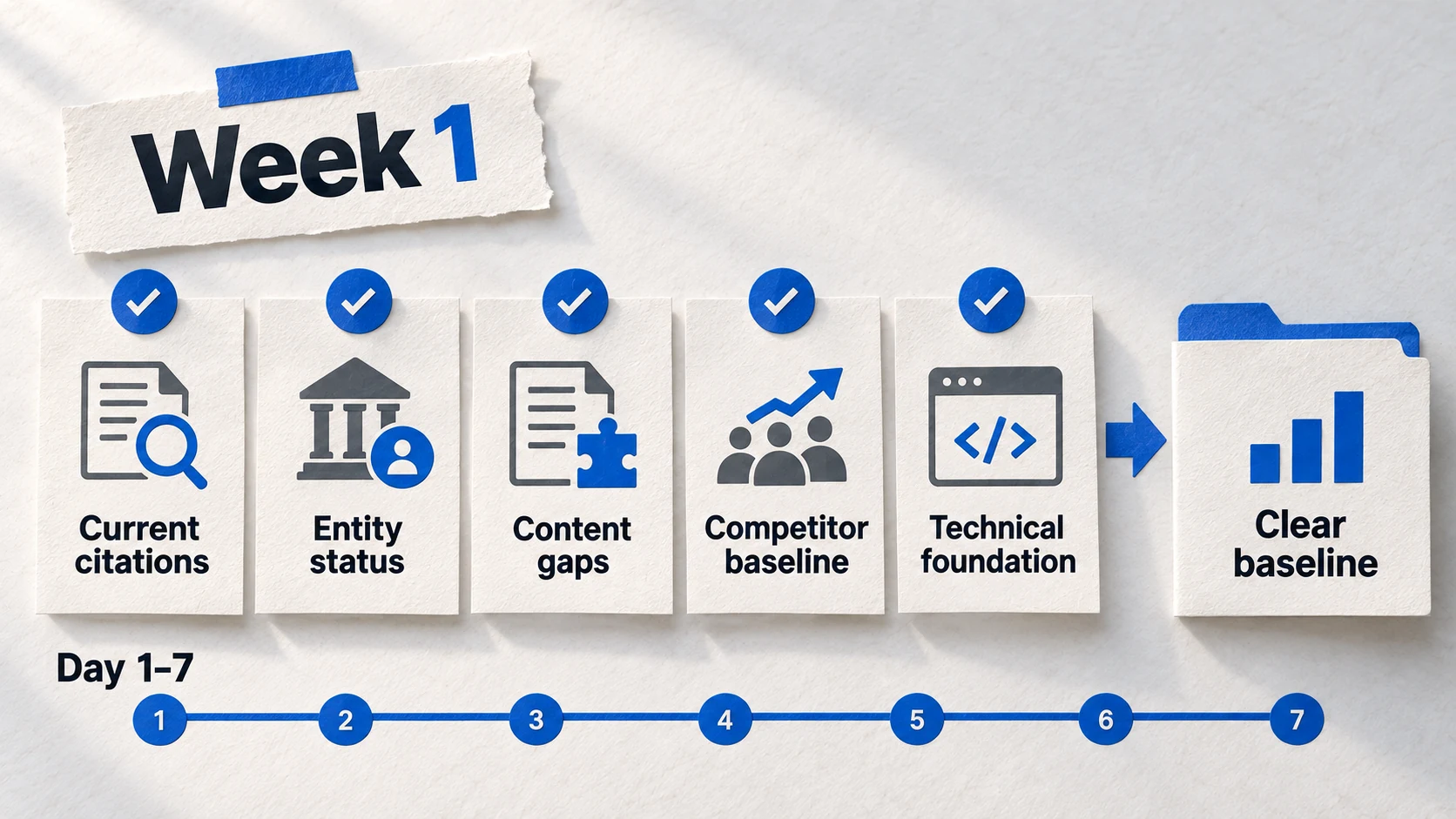
A GEO audit is your Week 1 discovery phase-before optimization comes understanding. You'll test AI visibility across platforms, calculate your baseline Citation Frequency, check entity signals (schema, About page, NAP consistency), review content structure, and set up AI traffic tracking in GA4. The audit takes 3-4 hours spread across Days 1-7 and produces a prioritized gap list for Weeks 2-4.
You want to optimize for AI search. But where do you actually start? What's broken? What's already working? Without answers to these questions, optimization is guesswork.
Week 1 is about discovery, not action. The GEO audit establishes your baseline-where you stand today-so you can measure progress and prioritize work for Weeks 2-4. Skip the audit, and you'll optimize blind. Complete it, and every subsequent decision becomes data-driven.
This guide walks through the complete Week 1 audit process: 6 steps, each with specific instructions, templates, and expected outputs. By Day 7, you'll have a clear picture of your AI visibility and a prioritized action plan.
0-5%
typical starting Citation Frequency
Most sites begin with near-zero AI visibility. Don't be discouraged-that's normal, and it establishes your baseline.
3-4
hours for complete audit
Spread across Days 1-7, not done in one sitting. The most intensive part is the platform visibility test.
2-7
sources cited per AI response
AI platforms only cite a handful of sources. The audit reveals whether you're in that small set.
Source: TryProfound →What Is a GEO Audit?
A GEO audit is a systematic assessment of your current AI search visibility. It answers: Do AI platforms know about you? When users ask questions in your domain, do you appear? What's working, what's missing, and what should you prioritize?
Definition
GEO Audit
A structured review of your website's AI visibility across six dimensions: platform presence, citation frequency, entity signals, content structure, traffic tracking, and gap prioritization. The audit produces a baseline measurement and an action plan for optimization.
Unlike an SEO audit (which examines rankings, backlinks, technical health), a GEO audit focuses specifically on how AI platforms perceive and cite your content. You might rank #1 on Google but be invisible to ChatGPT. The GEO audit surfaces exactly where that gap exists.
Audit Transforms Guesswork Into Strategy
What You Need for the Audit
- ✓ Access to ChatGPT, Perplexity, and Claude (free tiers work)
- ✓ A spreadsheet for logging results (Google Sheets or Excel)
- ✓ 15-20 keywords/questions your audience asks
- ✓ GA4 access (Editor or Administrator role)
- ✓ Access to your website's HTML or CMS
- ✓ Google Rich Results Test (free, no account needed)
Step 1: The Platform Visibility Test
The platform visibility test is the core of your audit. You'll query AI platforms with questions your audience asks and log whether your brand or content appears in responses. This takes 1-2 hours depending on query count-it's the most time-intensive step but also the most valuable.
Platform Visibility Test Process
- 1
Build Query List
Create 15-20 queries your target audience asks about your topics
- 2
Test ChatGPT
Enter each query. Log: Did you appear? Who did? What context?
- 3
Test Perplexity
Same queries. Note source links-Perplexity shows citations explicitly
- 4
Test Claude
Same queries. Claude citations differ from ChatGPT significantly
- 5
Log Results
Record all data in your spreadsheet for baseline calculation
For Step 1 (Build Query List): Use this reference to create your 15-20 queries. Include a mix of all four types-this ensures you're testing visibility across different stages of your audience's journey.
Query Types to Include
💡 5-6 queries
💡 5-6 queries
💡 3-4 queries
💡 3-4 queries
✨ Save this template for consistent formatting across all platforms
For Steps 2-4 (Testing Each Platform): As you run each query, log these five data points in your spreadsheet. This creates the raw data you'll use to calculate Citation Frequency in Step 2.
What to Log for Each Query
- Brand Mentioned (Y/N)
Brand Mentioned (Y/N)
Did the AI response mention your brand name, website, or founder by name? This is the most direct visibility signal.
- Content Cited (Y/N)
Content Cited (Y/N)
Did the AI reference your content specifically-a blog post, guide, or page? Note the URL if Perplexity shows it.
- Competitors Mentioned
Competitors Mentioned
Which competitors appeared? This shows who's winning the queries you're losing.
- Context/Sentiment
Context/Sentiment
Was your brand mentioned positively, neutrally, or as a comparison? Context matters for positioning.
- Platform Differences
Platform Differences
Note when results differ across platforms-this reveals platform-specific optimization opportunities.
Pro Tip
Run each query 2-3 times across different sessions. AI responses vary. A single test might miss citations that appear inconsistently. Log all variations.
Step 2: Calculating Your Citation Frequency Baseline
Citation Frequency is your primary visibility metric. It answers: Of all the queries where you could appear, what percentage actually mention you? This number becomes your baseline-the benchmark against which you'll measure all future progress.
Citation Frequency Formula
Citation Frequency = (Queries Where You Appear ÷ Total Queries Tested) × 100
Example: If you tested 20 queries and appeared in 3 responses, your Citation Frequency is (3 ÷ 20) × 100 = 15%.
What Your Citation Frequency Means: Find your calculated percentage in the left column, then read across to understand where you stand and what to prioritize. Most sites start in the 0-5% range-that's normal, not a failure.
What Your Citation Frequency Tells You
| Your Rate | What It Means | Week 2-4 Focus |
|---|---|---|
| 0-5% | AI platforms don't recognize you yet | Entity foundation (Week 2) is critical before anything else |
| 6-15% | Emerging visibility-AI knows you exist | Content optimization (Week 3) will have immediate impact |
| 16-25% | Solid presence-you're a regular answer | Expand topic coverage, defend against competitors |
| 26%+ | Category leader territory | Focus on maintaining and expanding into adjacent topics |
0-5%
is the normal starting point
Don't be discouraged by a low baseline. Most sites begin with near-zero Citation Frequency. The audit establishes where you are so you can measure improvement.
Step 3: Entity Signal Check
Entity signals tell AI platforms who you are. Without clear entity establishment, AI can't confidently cite you. The entity check examines three areas: schema markup, About page quality, and NAP (Name, Address, Phone) consistency.
Entity Signal Audit Steps
- 1
Schema Check
Run homepage through Google Rich Results Test. Note what schema exists (if any).
- 2
About Page Review
Check: founding story, credentials, team bios, contact info, social links.
- 3
Author Pages
Do content authors have dedicated bio pages with credentials and expertise?
- 4
NAP Audit
Compare business info across website, GBP, LinkedIn, directories. Note inconsistencies.
How to Use This Checklist: Work through each item during your audit. For each signal, mark its current status in your spreadsheet. Items marked "Missing" or "Errors" become your Week 2 priorities-these are the gaps you'll fix before content optimization.
Entity Signal Checklist
💡 Check via Rich Results Test
💡 Required for author pages
💡 Should be 500+ words with credentials
💡 Each author needs dedicated page
💡 Check 5+ platforms
💡 Social profiles linked in schema
✨ Save this template for consistent formatting across all platforms
67%
citation reduction from NAP inconsistency
Inconsistent business information across platforms confuses AI systems and dramatically reduces citation probability. This is often the easiest fix with highest impact.
Source: BirdeyePro Tip
The most common entity gaps: missing Organization schema (90% of sites), incomplete About pages (placeholder content only), and inconsistent founding dates or addresses across platforms. These are all fixable in Week 2.
Step 4: Content Structure Review
AI platforms prefer specific content structures. Answer-first formatting, clear heading hierarchies, FAQ sections-these patterns dramatically increase citation probability. The content review identifies which of your pages already follow these patterns and which need transformation in Week 3.
Content Structure Indicators
| Element | AI-Optimized | Needs Work |
|---|---|---|
| Opening | Direct answer in first 100 words | Long intro before getting to the point |
| Headings | Clear H1 → H2 → H3 hierarchy | Random heading levels, no structure |
| Lists | Numbered/bulleted lists for steps | All prose paragraphs |
| FAQs | Dedicated FAQ section with schema | Questions scattered or missing |
| Author | Byline with credentials, linked bio | No author attribution or generic byline |
How to Conduct the Content Audit: Follow these five steps for your 10 priority pages. Create a row in your spreadsheet for each page, and mark Pass/Fail for each criterion. Pages with 3+ fails become your Week 3 optimization priorities.
Content Structure Audit Process
- Select 10 priority pages
Select 10 priority pages
Choose your most important content-highest traffic, best conversions, core topics. These will be your Week 3 optimization targets.
- Check answer placement
Check answer placement
For each page: Does the key insight appear in the first 100 words? Or is it buried after an introduction? Log the word count before the main answer.
- Review heading structure
Review heading structure
Is there one H1? Do H2s represent major sections? Do H3s organize within sections? Or is the hierarchy random? Log issues.
- Identify missing FAQ sections
Identify missing FAQ sections
Pages answering questions need FAQ sections. Log pages where FAQs would add value but don't exist.
- Check author attribution
Check author attribution
Who wrote the content? Is the byline linked to a bio page? Does the bio establish expertise? Log pages with weak or missing attribution.
72.4%
of AI-cited content has answer capsules
Answer-first formatting is the single strongest predictor of AI citations. Pages that bury the answer in paragraph 4 rarely get cited.
Source: Search Engine LandStep 5: GA4 AI Traffic Setup
By default, GA4 hides AI traffic in the generic "Referral" channel. Creating a dedicated AI Traffic channel takes 10 minutes and immediately surfaces visitors from ChatGPT, Perplexity, Claude, and other AI platforms. This tracking becomes essential for measuring your optimization impact.
GA4 AI Traffic Channel Setup
- 1
Access Admin
GA4 → Admin → Data Display → Channel Groups
- 2
Create New Group
Click 'Create new channel group' → Name it 'AI Traffic Tracking'
- 3
Add AI Channel
Create channel 'AI Traffic' with source regex matching AI platforms
- 4
Save & Wait
Save changes. Data populates in 24-48 hours.
AI Traffic Regex Pattern
What it does: This regex pattern matches traffic from all major AI platforms-ChatGPT, Perplexity, Claude, Gemini, Copilot, and others.
Where to add it: In GA4 Channel Group configuration, create a new channel called "AI Traffic" and set the source to "matches regex" with this pattern.
Expected output: A new "AI Traffic" row in all Traffic Acquisition reports, separate from generic Referral traffic.
What to do next: Wait 24-48 hours for data to populate. Then check Reports → Acquisition → Traffic Acquisition and select your new channel group from the dropdown.
Copy this regex pattern:
chatgpt\.com|claude\.ai|perplexity\.ai|gemini\.google\.com|copilot\.microsoft\.com|openai\.com|you\.com|phind\.com|mistral\.ai
Pro Tip
Don't expect significant AI traffic on Day 1. Most sites start with near-zero AI referrals. The tracking setup is about measuring future growth, not current state. By Day 30, you'll have 4 weeks of baseline data.
Step 6: Gap Prioritization
The audit produced a list of gaps. Now you need to prioritize: what gets fixed in Week 2, Week 3, Week 4-and what can wait until after Day 30? Not all gaps are equal. Some fixes take 10 minutes; others require significant content work.
Gap Prioritization Framework
| Gap Type | Impact | Effort | When to Fix |
|---|---|---|---|
| Missing Organization Schema | High | Low (30 min) | Week 2, Day 8 |
| Incomplete About Page | High | Medium (2-3 hrs) | Week 2, Day 10 |
| NAP Inconsistencies | High | Low (1 hr) | Week 2, Day 12-13 |
| Missing Answer Capsules | High | Medium (per page) | Week 3 |
| No FAQ Sections | Medium | Medium (per page) | Week 3 |
| Missing Directory Listings | Medium | Medium (2-3 hrs) | Week 4 |
| Incomplete Author Bios | Medium | Low (1 hr) | Week 2, Day 11 |
How to Assign Gaps to Weeks: Use this decision logic to sort your audit findings into the right week. Entity issues must be fixed before content work-otherwise you're optimizing content that AI can't attribute to you.
Prioritization Decision Logic
- Entity gaps → Week 2
Entity gaps → Week 2
Schema, About page, author bios, NAP consistency. These are foundational-content optimization won't work without entity establishment.
- Content gaps → Week 3
Content gaps → Week 3
Answer-first formatting, heading structure, FAQ sections. High-impact but time-intensive. Focus on 5-10 priority pages, not everything.
- Authority gaps → Week 4
Authority gaps → Week 4
Directory listings, profile optimization, review strategy. Important but builds on foundation from Weeks 2-3.
- Everything else → Post-Day 30
Everything else → Post-Day 30
Minor issues, nice-to-haves, comprehensive content overhauls. The 30-day sprint focuses on essentials, not perfection.
Your Audit Template
Use this template to organize your audit findings. Create a spreadsheet with these sections, and you'll have a complete record of your baseline plus a prioritized action plan.
How to Set Up Your Template: Create a new Google Sheet or Excel file with these six tabs. As you work through Steps 1-6 above, you'll populate each tab with your findings. By Day 7, this document becomes your action plan for Weeks 2-4.
GEO Audit Template Structure
💡 15-20 rows
💡 One summary row
💡 Checklist format
💡 10 priority pages
💡 All identified gaps
💡 Snapshot for comparison
✨ Save this template for consistent formatting across all platforms
FAQ
How long does a complete GEO audit take?
What if I have zero citations across all platforms?
Should I test the same queries on all platforms?
How often should I repeat the audit?
What tools do I need for the audit?
Can I do the audit if I don't have GA4 set up?
Ready for Week 2?
You've completed the audit. You know your baseline Citation Frequency, your entity gaps, and your content structure issues. Now it's time to build the foundation.
Week 2 focuses on schema markup and entity establishment-the technical foundation that makes citations possible.
Take the GEO Readiness Quiz →60 seconds · Personalized report · Free
Continue Learning
Dive deeper into AI search with these related articles:
Your First ChatGPT Citation in 30 Days: Quick-Start GEO Guide
A week-by-week implementation plan to achieve your first AI citation. From visibility audit to schema markup to content optimization—the complete 30-day GEO quick-start guide.
The Complete Schema Markup Guide for GEO
Master schema markup for AI visibility. Essential types, implementation strategy, and common mistakes.
Entity Optimization Masterclass: AI Brand Recognition
Master the complete framework for establishing your brand as a recognized entity in AI systems. From Entity Homes to Wikidata to knowledge panels.