GEO & AI Search
Free GEO Tools: Building Your Stack Without Budget
Quick Answer
You can build a functional GEO monitoring stack for $0. Geoptie offers full citation tracking across ChatGPT, Claude, Gemini, and Perplexity during their free beta. GA4 custom channel groups segment AI referral traffic without additional tools. ChatGPT itself audits content structure with the right prompts. Together, these free options cover 70%+ of GEO implementation needs-paid tools add automation and scale, but aren't required to start.
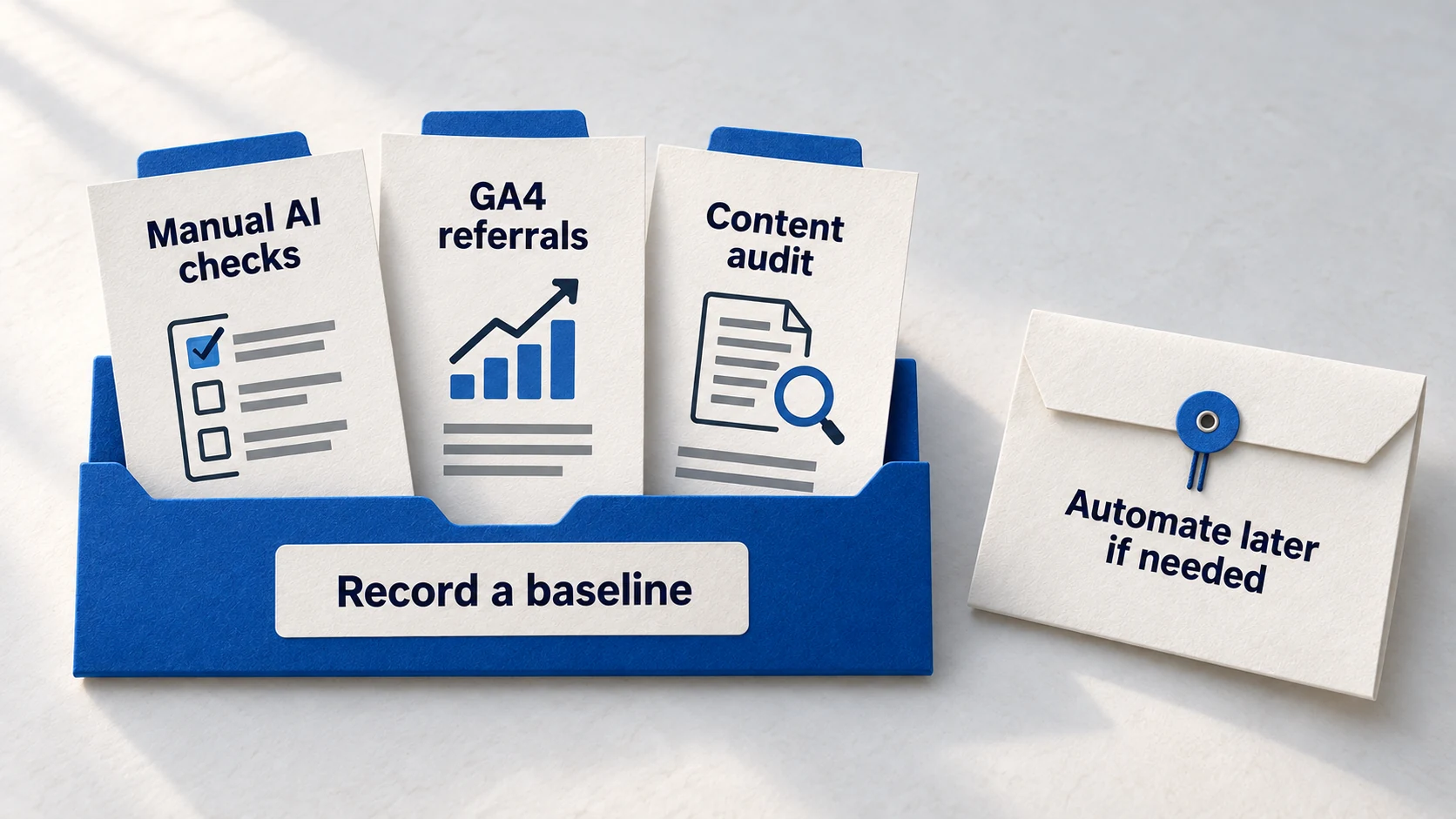
Everyone's selling GEO tools. Otterly at $99/month. Peec.ai at €89/month. Writesonic's AI toolkit at $250/month. The marketing makes it seem like AI visibility requires a budget line item before you can even start.
It doesn't. The tools exist-free tiers, open betas, built-in platform features. The problem isn't availability; it's awareness. Most marketers don't know that GA4 can already track AI referral traffic with a 10-minute configuration. Or that Geoptie's open beta provides the same citation monitoring as $100/month alternatives.
This guide builds your complete GEO stack without spending money. Not a stripped-down compromise-a functional monitoring system that covers citation tracking, traffic attribution, and content optimization. When you outgrow it, you'll know exactly which paid features are worth the investment.
120
average martech tools per enterprise
Most GEO tasks don't need dedicated tools-existing platforms often suffice.
Source: Progress / Chiefmartec →70%+
of GEO work achievable without paid tools
Content optimization, basic monitoring, and traffic tracking require no subscription.
$0
cost of Geoptie during open beta
Full citation tracking across 5 AI platforms-free while in beta.
Source: Search Engine Land →Free Tier GEO Tools: What You Get Without Paying
Free doesn't mean feature-stripped. These tools offer genuine capability-some because they're in beta acquisition mode, others because the free tier serves as a funnel to paid plans. Either way, the functionality is real.
How to Read This Scorecard: Each tool is rated 1-5 across four capabilities. Higher dots mean stronger performance in that area. Focus on tools that score high in the capabilities you need most-citation tracking if you're starting GEO, competitor analysis if you're in a crowded market.
Free GEO Tool Capabilities Comparison
| Factor | Geoptie | Hall | Gumshoe | GA4 |
|---|---|---|---|---|
| Citation Tracking | ●●●●● | ●●●●○ | ●●●●○ | ●●○○○ |
| Multi-Platform Coverage | ●●●●● | ●●●●● | ●●●●○ | ●●●○○ |
| Competitor Analysis | ●●●●○ | ●●●○○ | ●●●○○ | ●○○○○ |
| Traffic Attribution | ●●●○○ | ●●○○○ | ●●○○○ | ●●●●● |
| Ease of Setup | ●●●●○ | ●●●●● | ●●●●○ | ●●●○○ |
Best Free GEO Tools (2025)
Citation Tracking
Geoptie
Full citation monitoring across ChatGPT, Claude, Gemini, Perplexity, and Bing Chat. Includes GEO audit reports, keyword finder, and content scoring.
Free (Beta)
Learn more →Brand Monitoring
Hall
AEO/GEO monitoring with shareable visibility reports. Free tier provides basic citation tracking perfect for initial testing.
Free Tier
Learn more →Citation Analysis
Gumshoe
Public beta platform analyzing brand citations across AI models. Strong for marketing and SEO teams tracking mentions.
Free (Beta)
Learn more →Traffic Attribution
GA4 Custom Channels
Built-in Google Analytics feature. Configure custom channel groups to segment AI referral traffic-no additional tools needed.
Free
Learn more →Content Audit
ChatGPT
Use structured prompts to audit content for GEO readiness, identify answer capsules, and analyze competitor citation patterns.
Free Tier
Learn more →Visibility Audit
Goodie AI
Free one-time audit of AI search visibility. Shows presence across AI platforms with action steps for optimization.
Free Audit
Learn more →Pro Tip
Geoptie's free beta won't last forever. Create your account now to potentially grandfather into favorable pricing when paid tiers launch. The same applied to Otterly in 2024-early users locked in better rates.
ChatGPT as Your Free GEO Auditor
The most underutilized free GEO tool is one you probably already have access to: ChatGPT itself. With the right prompts, it becomes a powerful content auditor that identifies exactly why your content isn't getting cited-and what to fix.
Here's why this matters: AI platforms cite content that's structured for extraction. Short answer blocks, clear entity definitions, scannable formatting. ChatGPT can evaluate your existing content against these criteria because it uses the same underlying logic when deciding what to cite.
Copy this audit prompt: Paste this into ChatGPT along with your page content. It returns specific, actionable feedback on GEO readiness.
GEO Content Audit Prompt:
Analyze this content for AI citation readiness. Evaluate:

1. ANSWER BLOCKS: Are there clear, self-contained answer statements that could be quoted directly? Identify the best candidates and suggest improvements for weak sections.

2. ENTITY CLARITY: Is the brand/author clearly defined? Are there specific, verifiable claims rather than vague statements?

3. STRUCTURE: Would an AI be able to extract key information without reading surrounding context? Flag any sentences that rely on pronouns or require previous paragraphs to understand.

4. EXPERTISE SIGNALS: What credentials, experience, or authority markers are present? What's missing?

5. FORMATTING: Are lists, tables, and headers used effectively for scannability?

Provide specific line-by-line recommendations, not general advice.

[PASTE YOUR CONTENT HERE]
The output typically identifies 5-15 specific improvements. Most common issues: pronouns that break extractability ("it" instead of repeating the entity name), buried answers that should lead paragraphs, and missing expertise signals in introductions.
For competitor analysis, the approach shifts. Query ChatGPT with keywords where competitors get cited but you don't. Ask it to explain why the cited content works-structure, authority signals, answer format. Then reverse-engineer those elements into your content.
Copy this competitor analysis prompt: Use after identifying a keyword where a competitor consistently gets cited.
Competitor Citation Analysis Prompt:
I noticed [COMPETITOR URL] gets cited when users ask about [TOPIC/KEYWORD].

1. What structural elements make this content citation-worthy?
2. How does it establish expertise and authority?
3. What answer formats does it use that I should adopt?
4. Are there specific phrases or formulations that are highly quotable?

Compare to my content on the same topic: [YOUR URL or paste content]

What specific changes would make my content more likely to be cited instead?
This free audit capability doesn't replace dedicated tools-it can't track citations over time or monitor multiple platforms automatically. But for content optimization, it's surprisingly powerful and costs nothing beyond your existing ChatGPT access.
Free Tool Limitations: What You're Actually Missing
Free tools aren't just "paid tools with fewer features." The limitations are specific, and understanding them helps you decide when the free stack genuinely isn't enough versus when you're just experiencing normal friction.
Data freshness: Free tiers typically update daily or weekly. Paid tools often provide near-real-time monitoring. If you're in a fast-moving competitive space-product launches, news cycles, trending topics-the delay matters. For evergreen content optimization, it rarely does.
Historical data: Most free tools provide 30-90 days of history. Want to analyze year-over-year trends or see how a major algorithm update affected your visibility six months ago? You'll need paid access or meticulous manual record-keeping from day one.
Export and reporting: Free tiers often lock down data export. You can view dashboards but can't pull raw data into spreadsheets or presentation decks. This matters for agencies and in-house teams with stakeholder reporting requirements. For individual practitioners, it's usually fine.
Multi-user access: Free accounts typically mean single user. If your team needs shared access-multiple people monitoring, commenting, assigning tasks-paid tiers become necessary for workflow reasons, not capability reasons.
The key insight: free tool limitations are mostly about scale and collaboration, not core functionality. A solo marketer optimizing one brand can operate indefinitely on free tools. An agency managing twelve clients needs paid infrastructure for workflow alone.
GA4: The Free AI Traffic Tracking Method
Most marketers don't realize GA4 already captures AI referral data-it's just buried in the generic "Referral" channel. With a 10-minute configuration, you can surface ChatGPT, Perplexity, Claude, and other AI traffic into a dedicated channel.
Key Insight: This statistic explains why setting up AI traffic tracking matters now-the volume is already significant and growing.
37.5M
daily ChatGPT searches (2024)
And increasing month over month. This traffic exists in your GA4-you just need to surface it.
Source: MorningscoreHere's the complete setup process. No paid tools required-just GA4 admin access and five minutes.
How to Use This Timeline: Follow these four steps in order. Each builds on the previous-channel creation first, then regex configuration, then positioning, then verification. Most marketers complete this in under 15 minutes.
GA4 AI Traffic Channel Setup
Create Channel Group
Admin → Data Display → Channel Groups → Create new
Add AI Channel
Click 'Add new channel', name it 'AI Traffic'
Configure Regex
Set Source to 'Matches regex', paste pattern below
Position & Save
Drag AI above Referral in list (order matters), save
- Step 1
Create Channel Group
Admin → Data Display → Channel Groups → Create new
- Step 2
Add AI Channel
Click 'Add new channel', name it 'AI Traffic'
- Step 3
Configure Regex
Set Source to 'Matches regex', paste pattern below
- Step 4
Position & Save
Drag AI above Referral in list (order matters), save
Copy this pattern: This regex captures all major AI platforms. Paste it directly into the GA4 Source regex field.
AI Traffic Regex Pattern (Copy exactly):
chatgpt\.com|chat-gpt\.org|claude\.ai|openai\.com|perplexity\.ai|copilot\.microsoft\.com|gemini\.google\.com|mistral\.ai|deepseek\.com|phind\.com|you\.com|x\.ai|grok\.x\.com
Warning
Position matters in GA4 channel groups. The first matching channel wins. Place your AI Traffic channel ABOVE Referral-otherwise AI visits get absorbed into generic referrals and you'll never see them separately.
One limitation to know: free ChatGPT users don't send referrer data-their visits appear as "Direct" traffic. Only ChatGPT Plus users clicking links in responses show up with proper attribution. This means your GA4 AI traffic numbers undercount actual AI-referred visits.
The Complete Free GEO Stack Architecture
Individual tools are useful. A coordinated stack is powerful. Here's how to combine free tools into a complete GEO monitoring system-what each tool does, how they connect, and which workflows to automate.
How to Read This Table: Each layer handles a specific GEO function. Start from the top (visibility layer) and work down. The "Workflow" column shows what to do with each tool weekly-follow this cadence for consistent monitoring.
Free GEO Stack: Tool Layers
| Layer | Tool | Function | Workflow |
|---|---|---|---|
| Visibility | Geoptie | Citation tracking across 5 AI platforms | Run weekly brand monitoring check |
| Attribution | GA4 Custom Channels | Track AI referral traffic to your site | Review AI traffic in weekly analytics |
| Audit | ChatGPT + Prompts | Analyze content for GEO readiness | Audit new content before publishing |
| Competitor | Geoptie + Manual | Monitor competitor AI visibility | Monthly competitor citation review |
| Optimization | ChatGPT + Prompts | Rewrite content for AI citations | Optimize underperforming pages |
You don't need to spend hours on GEO monitoring every day. With the free stack, 15-20 minutes daily is enough-if you spread the work across the week. Here's a practical schedule that keeps monitoring manageable without overwhelming your workflow:
Weekly Monitoring Schedule
- Monday
Brand monitoring
Log into Geoptie and check your brand visibility dashboard. Did you get any new citations since last week? What's the sentiment-are mentions positive, neutral, or negative? This takes 10 minutes and gives you the week's baseline.
- Tuesday
AI traffic review
Open GA4, navigate to Traffic Acquisition, and select your custom channel group with AI Traffic. Compare this week's AI-referred sessions to last week. Is it up or down? Any unusual spikes? Note the numbers in your tracking spreadsheet.
- Wednesday
Competitor spot-check
Pick 3-5 of your target keywords. Query them in ChatGPT (and Perplexity if you have time). Note who gets cited. Are you appearing? If not, who is? This manual check catches things automated tools miss and takes about 15 minutes.
- Thursday
Content audit
Pick one underperforming page-something that should be getting AI citations but isn't. Paste it into ChatGPT with the GEO audit prompt from earlier in this guide. Read the feedback. Take notes on what to fix. You'll accumulate a backlog of improvements over time.
- Friday
Documentation
Update your tracking spreadsheet with the week's data. Log citation frequency, traffic numbers, competitor observations, and audit findings. Flag anything that needs attention next week. This documentation builds the historical record you'll need for monthly reviews and quarterly strategy decisions.
When Free Tools Aren't Enough: Upgrade Signals
Free tools have limits. Recognizing when you've hit them-versus when you just need better processes-prevents wasted spending. These are the specific signals that justify moving to paid tools.
How to Read This Table: "Upgrade Signal" describes the symptom you're experiencing. "Why Free Fails" explains the underlying limitation. "Solution" recommends the specific paid tool that addresses that limitation-don't pay for features you don't need.
Free vs Paid: Upgrade Decision Matrix
| Upgrade Signal | Why Free Fails | Solution |
|---|---|---|
| Competitive intelligence needed | Free tools focus on your brand only | Otterly or Peec.ai ($100-150/mo) |
| Tracking 50+ keywords | Manual monitoring doesn't scale | AtomicAGI team tier ($80/mo) |
| Client reporting required | Free tools lack export/presentation features | Writesonic ($250/mo) or Otterly |
| Multi-brand management | One account per brand in free tiers | Peec.ai Business or Semrush AI |
| Real-time alerts needed | Free tools update daily at best | ZipTie or Ahrefs Brand Radar |
Note
The most common mistake: upgrading too early because manual monitoring feels tedious. Tedium isn't a signal to spend-it's a signal to build better processes. Only upgrade when free tools can't provide the data you need, not when they require effort to use.
The 90-Day Free Stack Evaluation
Before spending on paid tools, run the free stack for 90 days. This isn't arbitrary-it's the minimum time needed to see GEO optimization results and establish baseline metrics worth comparing against.
During those 90 days, track specific friction points. When did free tools fail you? Not "felt limited" but "couldn't answer a specific question I needed answered." Keep a running log of these moments. At day 90, review the log. If it's empty or contains only minor inconveniences, stay on free tools. If it contains repeated instances of missing data that affected decisions, you've identified exactly which paid features are worth buying.
The 90-day evaluation also tests your GEO commitment. Many marketers get excited about AI visibility optimization, set up tools, then never check them consistently. Paid tools won't fix inconsistent usage-they'll just make it more expensive. Prove you'll actually use GEO monitoring before investing in premium monitoring.
Here's what the evaluation should produce: a clear answer to "what can I not do with free tools that I genuinely need to do?" If the answer is "nothing critical," stay free. If the answer is "competitive intelligence is blocking strategic decisions," that's a specific, justified upgrade path.
Building Toward Paid: The Graduation Path
When you do eventually need paid tools, the free stack experience makes you a smarter buyer. You know exactly what you need-not because a sales page told you, but because you hit actual limitations.
The typical graduation path looks like this: Start free. Hit the competitive intelligence wall (you can see your visibility, but not competitors'). Upgrade to one tool with competitive features-usually Otterly or Peec.ai at the $100-150/month tier. Stay there for 6-12 months. Eventually, if managing multiple brands or high keyword volumes, consider enterprise tiers.
Most individual practitioners and small businesses never need to graduate beyond the first paid tier. Enterprise features exist for agencies and large companies-if you're not running a multi-brand operation with dedicated GEO staff, you probably don't need them.
FAQ
Can I really do GEO optimization without paid tools?
Which free GEO tool should I start with first?
How long will Geoptie stay free?
Is Google Search Console useful for GEO?
What's the biggest limitation of free GEO tools?
Can I track AI citations without any tools?
Ready to Build Your Free GEO Stack?
You don't need expensive tools to start tracking AI visibility. The free stack outlined here covers foundational monitoring-the rest is execution.
Start with GA4 custom channels today. Add Geoptie this week. Monitor for 30 days before evaluating paid options.
Take the GEO Readiness Quiz →60 seconds · Personalized report · Free
Continue Learning
Dive deeper into AI search with these related articles:
The AI Toolkit You Actually Need: Cutting Through GEO Tool Overwhelm
62% of marketers use more tools than 2 years ago. Here's the focused GEO toolkit that delivers results: free tools to start, paid tools worth the investment, and exactly how to choose what you need.
ChatGPT for GEO: The Essential Prompts
10 copy-paste ChatGPT prompts to audit, optimize, and track your content for AI search visibility. Content audit, competitor analysis, entity building, and tracking prompts you can use today.
AI Referral Traffic: Setting Up Tracking in Google Analytics
Learn how to track traffic from ChatGPT, Perplexity, Claude, and other AI tools in GA4.