GEO & AI Search
WordPress GEO: Plugin-Based Optimization for Non-Developers
Quick Answer
WordPress sites can implement full GEO optimization using three plugin categories: SEO plugins (Yoast/Rank Math) for basic schema and content analysis, dedicated schema plugins for advanced types, and structure plugins for answer-first formatting. Most WordPress users need only their existing SEO plugin, configured correctly. This guide shows you exactly which settings to enable and which plugins to add based on your specific GEO goals.
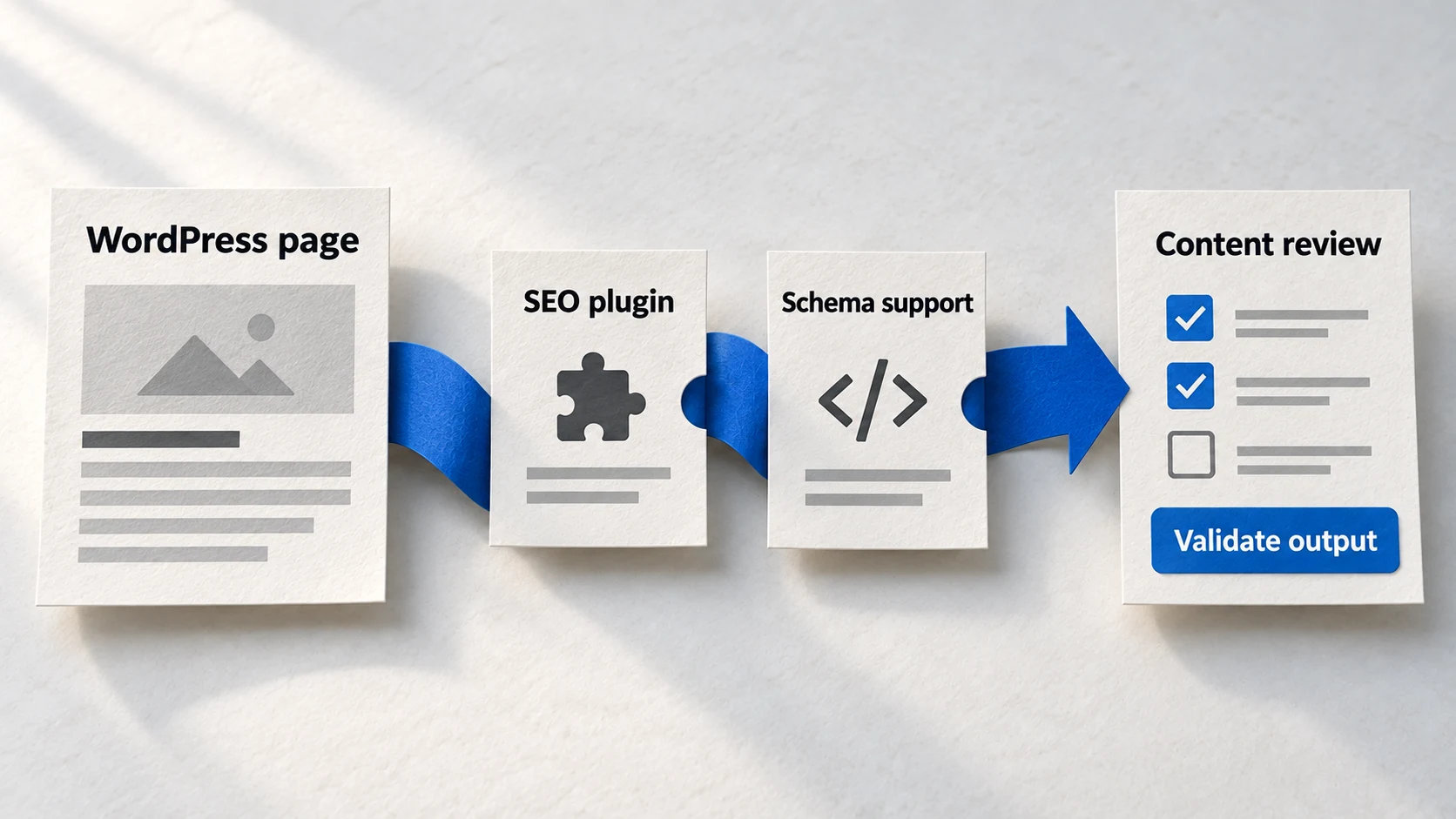
You've installed Yoast. Or Rank Math. Maybe both at some point. Your SEO plugin shows green lights everywhere. Content analysis: good. Readability: excellent. Meta tags: optimized.
Then you ask ChatGPT a question in your niche, and your site is nowhere. You check Perplexity-invisible. You test Claude-nothing. All those green checkmarks, and AI platforms don't even know you exist.
The problem isn't your plugin. The problem is that SEO plugins were designed for Google, not for AI engines. They're optimizing the wrong signals. This guide shows you which settings actually matter for GEO, which plugins fill the gaps, and how to configure your WordPress site for AI visibility without touching a line of code.
The WordPress GEO Advantage
WordPress powers more websites than any other platform-which means more plugins, more solutions, and more tested workflows for every optimization challenge, including GEO.
43%
of all websites run on WordPress
Source: W3Techs December 2025That market dominance translates to a practical advantage: whatever GEO challenge you face, someone has already built a plugin for it. Schema markup that used to require developer intervention now takes five minutes in a settings panel. Structured data that needed JSON-LD expertise now generates from dropdown menus.
GEO Implementation: Developer vs. Plugin Approach
The key is knowing which plugins to use, which settings matter for GEO specifically, and how to avoid the common configuration mistakes that leave WordPress sites invisible to AI platforms.
The 3 Plugin Categories You Need
GEO on WordPress requires three types of functionality. Most sites already have category one installed-they just haven't configured it for AI visibility.
Category 1: SEO Plugins
Your foundation. Handles basic schema, meta data, and content analysis. You likely already have one installed. Recommended: Yoast SEO (Free/Premium) or Rank Math (Free/Pro).
- • Organization and Person schema (basic)
- • Article schema on posts
- • Breadcrumb schema
- • Open Graph and social metadata
- • Basic content analysis
Category 2: Dedicated Schema Plugins
Advanced schema types your SEO plugin doesn't handle. Add only if you need specific schema beyond Article/Organization. Options: Schema Pro ($79/year), WP SEO Structured Data Schema (Free).
- • FAQPage schema with visual builders
- • HowTo schema for tutorials
- • Product/Review schema for e-commerce
- • LocalBusiness schema with hours
- • Event, Recipe, Course schema types
Category 3: Content Structure Plugins
Format your content for AI extraction. Answer boxes, FAQ sections, and structured content blocks. Options: Heroic FAQs (Free), Easy Table of Contents (Free), Rank Math Content AI (Pro).
- • FAQ accordion blocks with auto-schema
- • Table of contents generation
- • Answer/summary blocks at post start
- • Structured heading analyzers
- • Content reordering tools
Pro Tip
Most WordPress sites only need Category 1 configured properly. Add Category 2 or 3 plugins only when you have specific needs-HowTo content, FAQ pages, or e-commerce products. More plugins means more potential conflicts and slower sites.
Best Plugins for Each Schema Type
Different schema types require different plugins. Here's which plugin handles each type best, based on ease of use and output quality.
Schema Type → Best Plugin Match
- 1
Organization Schema
Use your SEO plugin (Yoast or Rank Math). Both generate Organization schema from your site settings. Go to Yoast → Search Appearance → Organizations, or Rank Math → Titles & Meta → Local SEO. Fill in company name, logo, and social profiles. This schema applies site-wide automatically.
- 2
Person/Author Schema
Use your SEO plugin's author settings. In Yoast, enable author archives and complete user profiles. In Rank Math, go to Titles & Meta → Authors and ensure 'Add Schema Markup' is enabled. Add author bio, social links, and credentials to each WordPress user profile.
- 3
Article Schema
Both Yoast and Rank Math add Article schema automatically to posts. No configuration needed-just ensure your SEO plugin is active. The schema includes headline, author, publish date, and featured image. Check individual posts for schema type (Article, NewsArticle, BlogPosting).
- 4
FAQPage Schema
Rank Math free includes FAQ schema blocks. Yoast requires Premium or a separate plugin. For free options, use 'FAQ Schema Block' plugin or 'Schema & Structured Data for WP'. Create FAQ content using the block, and schema generates automatically.
- 5
HowTo Schema
Rank Math free includes HowTo schema blocks. Yoast requires Premium. Create step-by-step content using the HowTo block-each step becomes structured data. For Yoast free users, 'Schema & Structured Data for WP' adds this capability.
- 6
LocalBusiness Schema
For local businesses, Rank Math's Local SEO module (free) or Yoast Local SEO (Premium) handles this. Add business hours, address, phone, and service area. Essential for appearing in local AI queries like 'best [business type] near me.'
Step-by-Step: Yoast and Rank Math GEO Setup
Most WordPress sites have Yoast or Rank Math installed but not configured for GEO. These settings make the difference between AI visibility and invisibility.
Yoast SEO GEO Configuration
- Go to Yoast SEO → Search Appearance → Content Types → Posts → Enable 'Article' schema
- Go to Organization → Select 'Organization' (not 'Person' unless you're a solo creator)
- Add your logo (minimum 112x112px, recommended 1200x630px for social sharing)
- Complete all social profile URLs (LinkedIn, Twitter, Facebook, YouTube)
- Go to Authors → Enable author archives if you have multiple writers
- Edit each author's WordPress profile → Add bio, credentials, and 'Expertise' field
- Enable breadcrumbs → Settings → Breadcrumbs → Enable and configure structure
Rank Math GEO Configuration
- Go to Rank Math → Titles & Meta → Local SEO → Add Organization details
- Enable 'Use Organization' if you represent a business (not 'Person')
- Add logo URL, business type, founding date, and complete address
- Complete Social Profiles section with all active platform URLs
- Go to General Settings → Schema Markup → Enable 'Add Schema Markup'
- For posts: Use Schema Generator to select Article type (BlogPosting, NewsArticle, etc.)
- Enable FAQ Block and HowTo Block in Rank Math → General Settings → Blocks
- Go to Authors → Enable author schema and rich snippets
Pro Tip
After configuring, test your homepage and a recent post using Google's Rich Results Test. You should see Organization schema on the homepage and Article + Author schema on posts. If anything's missing, the test shows exactly what's wrong.
Common WordPress GEO Mistakes
These configuration errors silently break your AI visibility. They often show no warnings in your SEO plugin but completely undermine your GEO efforts.
Mistakes to Avoid
- 1
Running multiple schema plugins without coordination
Yoast generates Organization schema. You install Schema Pro, which also generates Organization schema. Now you have duplicate, potentially conflicting markup. AI engines see inconsistent data and trust neither. Solution: Choose one plugin per schema type. Disable overlapping schema in secondary plugins.
- 2
Leaving author profiles incomplete
Your posts have author schema pointing to a profile that says 'Admin' with no bio, no credentials, no social links. This signals to AI engines that your content has no verified human expertise. Solution: Complete every author profile with real credentials, expertise areas, and at least one social link.
- 3
Using 'Person' when you should use 'Organization'
Selecting 'Person' as your site type when you represent a business confuses entity recognition. AI engines expect business sites to have Organization schema. Solution: Use Organization for any business, agency, or company. Use Person only for personal blogs or solo practitioners using their own name as the brand.
- 4
Ignoring the 'About' and 'Contact' page schema
Your about page exists but has no schema markup-it's just text. AI engines look for structured entity information on about pages specifically. Solution: Ensure your SEO plugin adds Organization schema site-wide, and create a comprehensive About page with the structured information AI engines expect.
- 5
Adding FAQ schema to non-FAQ content
You add FAQ blocks to every post to 'boost SEO' even when there are no actual questions being answered. This is schema spam. AI platforms and Google detect it, reducing trust in all your markup. Solution: Use FAQ schema only on content that genuinely answers frequently asked questions.
FAQ
Should I use Yoast or Rank Math for GEO?
Do I need a dedicated schema plugin if I already have Yoast or Rank Math?
Will multiple schema plugins conflict with each other?
How do I know if my WordPress schema is working?
Is plugin-based schema as good as custom code?
Ready for the Complete WordPress GEO System?
This guide covers the essentials. The GEO Accelerator Course provides the complete workflow-from plugin configuration to content structure to authority building-all designed for WordPress users without coding backgrounds.
Join thousands of WordPress site owners optimizing for AI search.
Take the GEO Readiness Quiz →60 seconds · Personalized report · Free
Continue Learning
Dive deeper into AI search with these related articles:
Copy-Paste Schema: Implementing Markup Without Coding
Ready-to-use schema templates for Organization, Article, FAQPage, and Person markup. Copy, customize three fields, paste into your CMS. No coding knowledge required.
GEO for Non-Technical Marketers: Your AI-Assisted Implementation Path
You don't need to code to implement GEO. AI tools can generate schema, restructure content, and build authority signals—all from natural language instructions. Here's the complete non-technical implementation path.
The Complete Schema Markup Guide for GEO
Master schema markup for AI visibility. Essential types, implementation strategy, and common mistakes.