GEO & AI Search
Service Area Business GEO: Beyond Physical Locations
Quick Answer
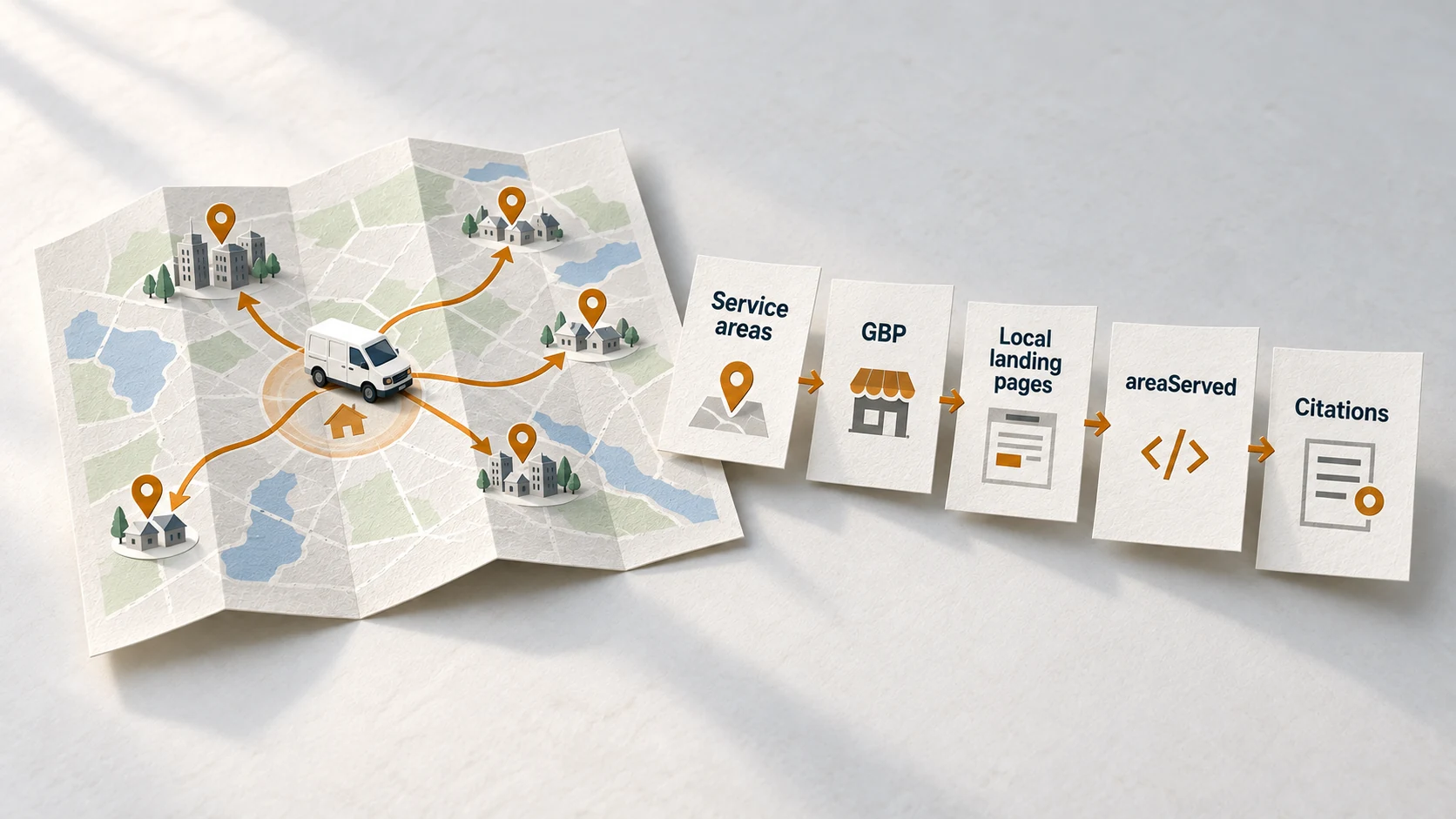
Service area businesses (SABs) need a different GEO strategy than storefront businesses because they compete for local visibility without a physical address customers can visit. The key elements are: properly configured GBP with hidden address and defined service areas (up to 20), dedicated landing pages for each major service area with unique hyperlocal content, LocalBusiness schema with serviceArea markup, and consistent citations across local directories. Google's local pack favors businesses with addresses in the search city, so SABs must compensate with strong organic visibility through service area pages. AI engines cross-reference your GBP service areas against website content and citations to verify coverage claims before recommending you.
You're an HVAC contractor based in Irving. A homeowner in Dallas searches "AC repair near me." Google's local pack fills with Dallas-based competitors. Your business-which absolutely serves Dallas-is nowhere to be found.
This is the service area business visibility problem. Without a physical address in Dallas, you're fighting an uphill battle for local pack placement. But here's what most SABs miss: you can win the organic results below that pack. And with AI search, you can get recommended even when you're not in the map results-if your signals are configured correctly.
This guide covers the complete GEO strategy for service area businesses. No theoretical fluff-just the specific configurations, content strategies, and technical implementations that get SABs visibility in AI search.
46%
of Google searches have local intent
Nearly half of all searches involve finding something nearby.
Source: Backlinko →76%
visit within a day of local search
Local searches have the highest commercial intent in search.
Source: Backlinko →88%
of HVAC searches lead to service calls
Home service searches convert at exceptionally high rates.
Source: MAK Digital Design →What Is a Service Area Business (SAB)?
A service area business is any business that travels to customers rather than serving them at a fixed location. Understanding this distinction is critical because Google, AI engines, and local directories all handle SABs differently.
Definition
Service Area Business (SAB)
A business that serves customers at their locations rather than at a fixed business address. Examples include plumbers, electricians, HVAC technicians, mobile pet groomers, house cleaners, landscapers, and mobile auto mechanics. Google requires SABs to hide their business address in Google Business Profile and define specific service areas instead.
The distinction matters for AI search because it changes how engines verify and recommend your business. Here's how the visibility path differs:
SAB Customer Journey: AI Discovery to Booking
"HVAC repair near me"
AI Query
Cross-references GBP + website + citations
AI Processing
SAB appears in AI answer or organic results
Recommendation
Customer reads service area page
Website Visit
Phone call or form submission
Contact
Notice the funnel narrows significantly at "Recommendation." This is where many SABs lose visibility-they haven't configured the signals that help AI engines verify their service coverage. The rest of this guide shows you how to fix that.
How AI Handles SABs Differently Than Storefronts
AI engines and Google's local algorithm treat SABs and storefronts differently. Understanding these differences explains why the standard "GBP optimization" advice often doesn't work for service-based businesses.
SAB vs Storefront: AI Visibility Differences
| Factor | Storefront Business | Service Area Business |
|---|---|---|
| Local Pack Ranking | Address location is primary factor | Hidden address makes local pack ranking harder |
| AI Verification | Physical address verified against Maps | Service areas verified against website content |
| Customer Reviews | Reviews mention specific location | Reviews mention service quality, areas served |
| Citation Strategy | Consistent NAP across directories | Service areas must match across platforms |
| Organic Opportunity | Homepage often ranks for local terms | Service area pages needed for each geography |
The key insight: Google's local pack heavily favors businesses with a physical address in the searched city. A plumber based in Irving will struggle to appear in the Dallas local pack-even if they serve Dallas daily. But organic results (below the pack) and AI recommendations don't have the same constraint.
32%
of Local Pack ranking factors
come from Google Business Profile signals. For SABs without a local address, this means focusing on the other 68%: website content, reviews, and citations.
Source: Whitespark Local Search Ranking FactorsGBP Service Area Configuration for AI Visibility
Your Google Business Profile configuration tells AI engines where you operate. Getting this wrong creates a mismatch between what you claim and what AI can verify-reducing your visibility.
Before Configuring Your Service Areas
- ✓ Verified GBP listing with correct business category
- ✓ Clear understanding of areas you can realistically serve (within ~2 hours)
- ✓ Website with pages for each major service area (or plan to create them)
- ✓ Consistent business name and phone across all platforms
- ✓ Decision on whether to show or hide your business address
GBP Service Area Setup Checklist
Step 1: Access Service Area Settings
In GBP dashboard: Info → Service area → Edit. If you're a pure SAB, toggle "I deliver goods and services to my customers" and uncheck "Customers can visit my business."
Step 2: Define Service Areas Strategically
Add up to 20 areas. Options include:
- • Cities: "Dallas, TX" (most common for metro areas)
- • Postal codes: Specific neighborhoods when city is too broad
- • Regions: "Dallas-Fort Worth Metroplex" (broader coverage)
Step 3: Prioritize High-Value Areas
Google doesn't weight service areas equally. List your highest-value, highest-volume areas first. If you do more work in Dallas than Plano, list Dallas first.
Step 4: Keep Radius Reasonable
Google recommends service areas within ~2 hours driving distance. Claiming areas too far from your base looks suspicious and can trigger verification issues.
Pro Tip
If you show your business address (hybrid model), you'll rank better for searches near that address but potentially confuse customers about whether they should visit. Most pure SABs perform better hiding the address entirely and relying on service area definitions.
Service Area Landing Pages: Your Organic Visibility Strategy
Since SABs struggle in the local pack, organic results become your primary visibility channel. Service area landing pages are how you capture that traffic-and signal to AI engines that you actually serve each geography.
Think of service area pages as your compensation for not having a physical address in each city. The chart below shows how SAB visibility typically improves as you add targeted service area pages:
SAB Organic Visibility Growth with Service Area Pages
| Category | Relative Visibility Score |
|---|---|
| 0 pages | 10 |
| 3 pages | 25 |
| 6 pages | 45 |
| 10 pages | 65 |
| 15+ pages | 80 |
Source: Industry benchmarks from BrightLocal and Whitespark research
The key word is "unique." Don't create duplicate pages with only the city name swapped out-Google and AI engines detect this and it hurts rather than helps. Each page needs genuinely differentiated content.
Service Area Page Template
💡 Keep URL patterns consistent
💡 Include city for local relevance
💡 Match search intent
💡 AI looks for direct geographic confirmation
💡 This differentiates from thin pages
💡 Location-specific testimonials build trust
💡 Consistency with GBP signals
✨ Save this template for consistent formatting across all platforms
Here's what differentiates a weak service area page from one that actually ranks and gets recommended by AI:
Thin Service Area Page
- × Generic content with city name inserted
- × No specific neighborhoods mentioned
- × Same testimonials as every other page
- × No local landmarks or context
- × 200 words of filler content
Strong Service Area Page
- ✓ Specific neighborhoods: "From Preston Hollow to Oak Lawn..."
- ✓ Local challenges: "Dallas homes built before 1970 often have..."
- ✓ Reviews from Dallas customers specifically
- ✓ Response time: "45-minute average arrival in Dallas proper"
- ✓ 800-1200 words of genuinely useful content
Schema Markup for Service Area Businesses
Schema markup tells AI engines exactly what areas you serve in a structured format they can parse. For SABs, the areaServed property is essential.
Here's the complete schema template for a service area business. Copy this structure and customize with your actual business details:
SAB LocalBusiness Schema (JSON-LD)
{
  "@context": "https://schema.org",
  "@type": "Plumber",
  "name": "North Star Plumbing",
  "url": "https://northstarplumbing.com",
  "telephone": "+1-972-555-0123",
  "priceRange": "$$",
  "areaServed": [
    {
      "@type": "City",
      "name": "Dallas",
      "containedInPlace": {
        "@type": "State",
        "name": "Texas"
      }
    },
    {
      "@type": "City",
      "name": "Irving",
      "containedInPlace": {
        "@type": "State",
        "name": "Texas"
      }
    },
    {
      "@type": "City",
      "name": "Plano",
      "containedInPlace": {
        "@type": "State",
        "name": "Texas"
      }
    }
  ],
  "hasOfferCatalog": {
    "@type": "OfferCatalog",
    "name": "Plumbing Services",
    "itemListElement": [
      {
        "@type": "Offer",
        "itemOffered": {
          "@type": "Service",
          "name": "Emergency Plumbing Repair"
        }
      },
      {
        "@type": "Offer",
        "itemOffered": {
          "@type": "Service",
          "name": "Water Heater Installation"
        }
      }
    ]
  }
} Warning
If you hide your address in GBP, don't include address/PostalAddress schema on your website. Inconsistency between GBP (hidden address) and website (showing address) confuses AI engines and reduces trust signals.
For service area pages, add the matching areaServed property to each page's schema. This creates a verification chain: GBP says you serve Dallas → Your Dallas page has Dallas in areaServed → AI engines verify the match.
Building Local Signals Without a Physical Storefront
Storefronts generate local signals naturally: customers leave reviews mentioning the location, photos show the storefront, and the address appears in directories. SABs need to build these signals intentionally.
Local Signal Building Strategy for SABs
Reviews with Location Mentions
Encourage customers to mention their neighborhood or city in reviews. Don't script it-just prompt:
"If you have a moment to leave a review, mentioning your neighborhood helps other locals find us."
Geo-Tagged Photos
Take photos of completed work with location services enabled. When uploaded to GBP, these carry embedded geographic data that verifies you actually worked in various areas.
Local Directory Citations
Create citations on local directories for each service area. Use your main address but list service areas consistently. Foursquare, Yelp, Yellow Pages, and industry-specific directories all contribute.
Local Content & Community
Sponsor local events, join chamber of commerce in key service areas, get mentioned in local media. These third-party mentions build the local authority signals AI engines look for.
Multi-Location vs Service Area: Which Approach for AI?
Some SABs wonder if they should open satellite offices or virtual offices to create multiple GBP listings. Here's how to make that decision-and why it often backfires.
Question
Should you create multiple GBP listings for different service areas?
Multiple GBPs allowed
If you have staff, signage, and regular working hours at each location, you can create separate GBP listings. Each must be a genuine business presence.
Single GBP + Service Areas
Virtual offices, PO boxes, or co-working spaces don't qualify for separate GBPs. Google actively suspends these. Stick with one listing and service area definitions.
Evaluate carefully
A satellite office with a part-time dispatcher might qualify, but it's gray area. If caught, you risk losing all listings. Usually better to invest in service area pages instead.
Multiple GBPs allowed
If you have staff, signage, and regular working hours at each location, you can create separate GBP listings. Each must be a genuine business presence.
Single GBP + Service Areas
Virtual offices, PO boxes, or co-working spaces don't qualify for separate GBPs. Google actively suspends these. Stick with one listing and service area definitions.
Evaluate carefully
A satellite office with a part-time dispatcher might qualify, but it's gray area. If caught, you risk losing all listings. Usually better to invest in service area pages instead.
The risk-reward math usually favors the service area approach. Creating fake locations risks suspension of your entire business presence. Building strong service area pages is slower but sustainable.
The Sustainable SAB Strategy
- One GBP: Properly configured with up to 20 service areas
- Multiple landing pages: One for each major city you serve (10-15 minimum)
- Consistent citations: Same business info across local directories
- Area-specific reviews: Customers mention where they're located
- Schema markup: areaServed on every page matching GBP configuration
This approach builds durable AI visibility without the suspension risk of multiple fake locations.
SAB GEO Implementation Checklist
GBP Configuration
- □ Hide business address (if pure SAB)
- □ Define up to 20 service areas
- □ Prioritize highest-value areas first
- □ Add all services with descriptions
Website Content
- □ Create landing page for each major service area
- □ Include unique, hyperlocal content per page
- □ Add LocalBusiness schema with areaServed
- □ Feature reviews from each specific area
FAQ
What qualifies as a service area business (SAB)?
Does my service area affect Google rankings?
How many service areas can I add in Google Business Profile?
Should I create separate GBP profiles for each service area?
How do I optimize for AI search as a service area business?
What schema markup should SABs use?
Ready to Dominate Your Service Areas?
Service area businesses don't need storefronts to win AI search. You need the right configuration, content, and signals.
46% of searches are local. Claim your territory.
Take the GEO Readiness Quiz →60 seconds · Personalized report · Free
Continue Learning
Dive deeper into AI search with these related articles:
Local Business GEO: How Small Businesses Can Compete in AI Search
40.2% of local searches trigger AI Overviews. Learn the complete Local GEO framework: Google Business Profile optimization, LocalBusiness schema, NAP consistency, reviews, and hyperlocal content.
Google Business Profile Optimization for AI Search
Make your Google Business Profile the entity record AI engines verify and recommend. The complete GBP optimization checklist for AI search visibility.
LocalBusiness Schema: Making Location-Based Businesses Visible to AI
AI engines cite local businesses from brand-managed sources 86% of the time. Learn how LocalBusiness schema positions you as the authoritative source.