AI SEO Course 2026 · Section 11 · Lecture 11.10
AI Visibility Baseline Note
Use this in Lecture 11.10 to capture where your business stands in ChatGPT and Google today.
 Arun Nagarathanam · 1 Nov 2026 Template · 24 of 60 in this course
Lecture 11.10
How to use it
An exclusive resource for students of Arun Nagarathanam's AI SEO Course.
Use this in Lecture 11.10 to capture where your business stands in ChatGPT and Google today.
Follow along
- Write your customer question as a full sentence.
- Run it in a new ChatGPT chat, then in Google (AI summary or AI Mode).
- Save both screenshots with today's date.
- Fill in the note and keep everything in one folder.
Lecture 11.10
The document
# AI Visibility Baseline Note

Goes with Lecture 11.10, "What Does ChatGPT Say About Your Business?" (AI SEO Course by Arun Nagarathanam).

Your baseline is 2 dated screenshots and one short note. It takes about 5 minutes. Save everything in one folder, and keep it safe: later in the course you compare against it.

## Step 1: Write your customer question

A full sentence in your customer's own words, the one they would prompt right before they buy or hire. Not a keyword. If you are unsure, look at the customer questions from your keyword research.

Examples from the lecture:

- "Who is the most reliable emergency plumber in my town for a broken pipe?"
- "Which tool solves my problem?"

Paste this into a new ChatGPT chat with your question filled in:

```
[Your customer question, as a full sentence in your customer's own words]
```

## Step 2: Run it twice

1. ChatGPT: start a completely new chat, run the question, read the whole answer.
2. Google: paste the exact same question. If an AI summary appears, read it. If none appears, that is normal; open AI Mode and prompt the same question there.

## Step 3: Save the screenshots

Name each file with today's date, or keep your computer clock in the frame.

- `baseline-YYYY-MM-DD-chatgpt.png`
- `baseline-YYYY-MM-DD-google-ai.png`

## Step 4: Fill in the note (save as `baseline-YYYY-MM-DD-note.txt` in the same folder)

```
AI VISIBILITY BASELINE
Date:
My question (exact words):

ChatGPT answer
- Is my business or website mentioned?  yes / no
- Businesses and sites named:

Google AI answer (AI summary or AI Mode)
- Which did I use?  AI summary / AI Mode
- Is my business or website mentioned?  yes / no
- Businesses and sites named:

Anything that surprised me:
```

## Remember

- A missing AI summary is normal. Google shows one only when its systems decide it adds something useful.
- If you only saw competitors, you have an honest "before" picture, not a verdict. Google says AI features open opportunities for more types of websites.
- This is one question on one day. Later in the course, when you look at Google's AI search reports, bring this folder back to see what has changed.
Files and links
The same file is in the Section 11 practice zip.
- Download 11.10-AI-Visibility-Baseline-Note.md/downloads/seo/section-11/11.10-AI-Visibility-Baseline-Note.md
Lecture 11.10
Links
Files and links
- ChatGPThttps://chatgpt.com
- Google AI Modehttps://www.google.com/ai
Keep building
More from Aruntastic
Practical courses for people who want to build useful things with AI.

AI SEO Course 2026: From Zero to Page-One Results
Research search demand, structure useful pages, and work through technical and off-page SEO.
Open the course →
AEO, GEO, AI SEO: Get Cited by ChatGPT, Google, Perplexity
Study how AI search finds information, and make your pages clear enough to be cited.
Open the course →
Microsoft PowerPoint Presentation 2026 for Professionals
Learn visual hierarchy, slide composition, typography and animation through practical work.
Open the course →
AI Agents for Leaders Who Have No Time to Learn AI
If you can delegate to a person, you can delegate to an AI agent. You keep the judgment. For managers and founders.
Open the course →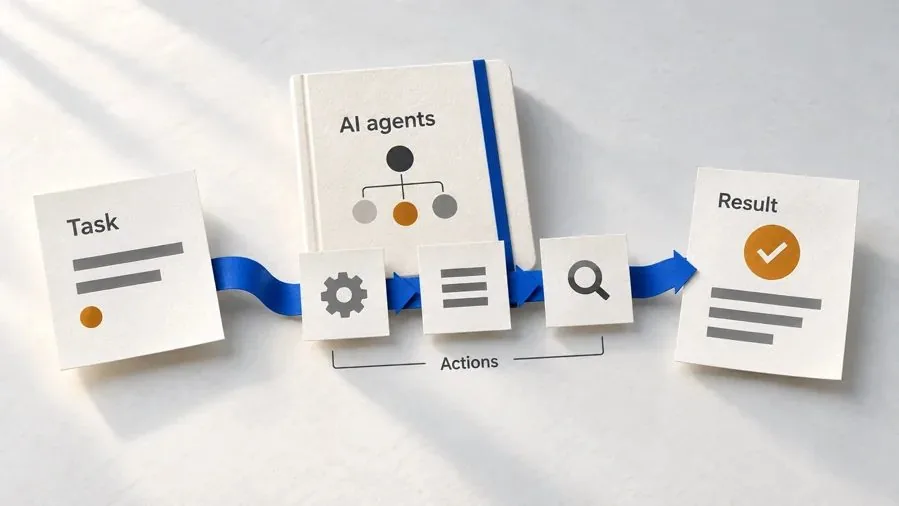
Introduction to Agentic AI and AI Agents
Learn how to direct an AI agent at work, with agentic workflows, RAG and MCP explained from a real first run.
Open the course →Toolkits and programme
Go deeper

Toolkit
SEO Accelerator Toolkit
150+ copy-paste AI prompts for audience research, keywords, content, technical SEO and link building.

Toolkit
GEO Accelerator Toolkit
100 detailed AI prompts for GEO audits, entity building, content structure and client reporting.

Programme
GEO Authority Accelerator
A complete GEO programme on our learner platform: nine modules and a 30, 60, 90 day roadmap. The GEO Accelerator Toolkit is included.
Claude certification practice
Preparing for a Claude certification?
Practice exams written by Arun: 600 questions across 4 mock exams and 2 drill banks. Unofficial preparation, not affiliated with Anthropic.
 CCAR-F
 CCAO-F
 CCDV-F
 CCAR-P
See Where You Stand
This resource is one piece of a much bigger system.
Take the free GEO Readiness Quiz to see exactly where your business stands with AI search engines today.
Take the GEO Readiness Quiz 60 seconds · Personalized report · Free