Free guide · Agent Skills
Write one skill your other AI tools can read
The skills you write for Claude use an open file format that other AI tools can read too. This guide shows what goes inside a skill folder, how to write its SKILL.md file, where each tool looks for it, and what to check before you move it.
 Arun Nagarathanam · 5 Nov 2026
Start here
What changed on 22 October
A skill is a folder of instructions for one task. Claude reads it when you ask for that task, so you stop explaining the same job every time.
On 22 October 2026, Anthropic donated Agent Skills, the format those folders use, to the Agentic AI Foundation under the Linux Foundation. The standard now has a home outside any single company, and you can keep using it without joining anything.
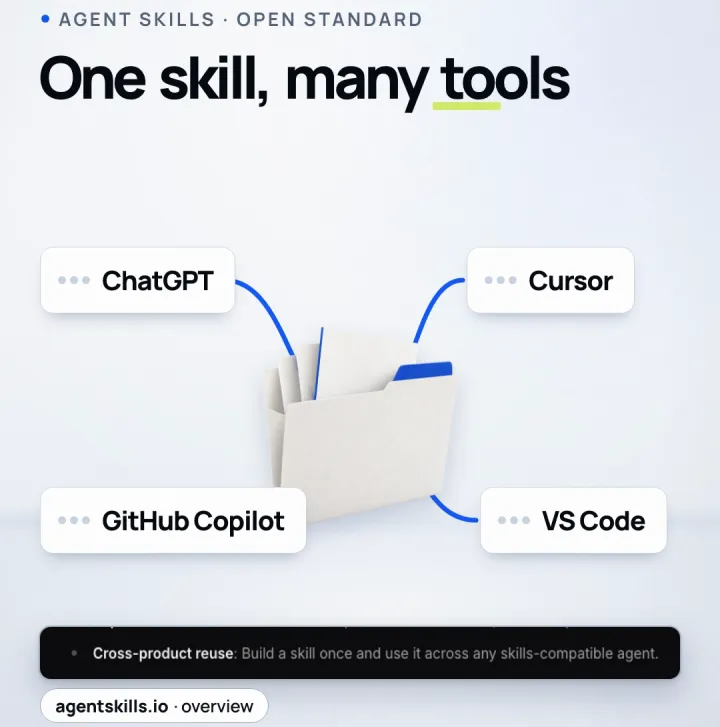
Anthropic says more than 70 agent platforms have added support, including ChatGPT, Cursor, GitHub Copilot and VS Code. The Agent Skills site puts it this way: build a skill once and use it across any skills-compatible agent.
Step 1
What goes in a skill folder
Make the folder
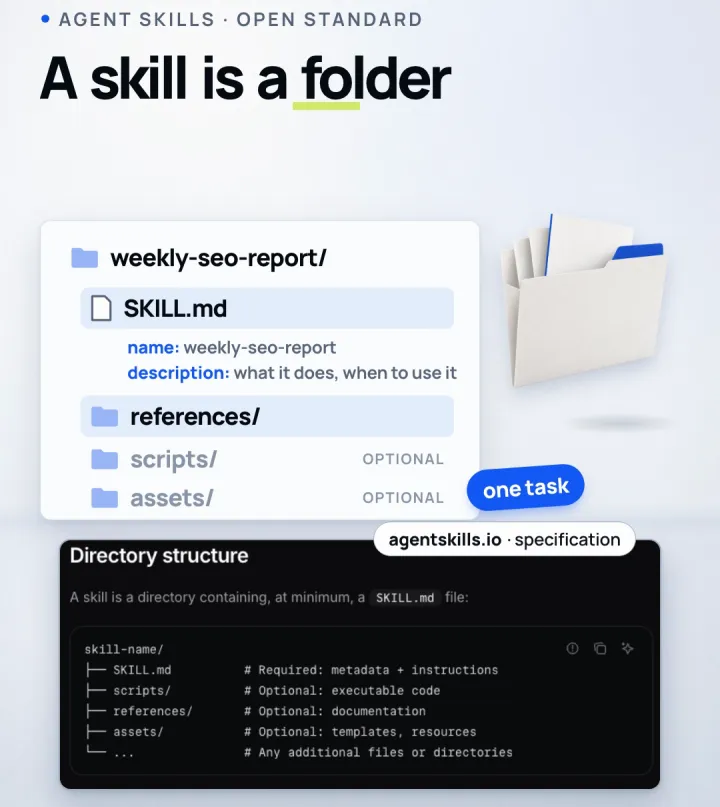
- Make a folder and name it in lowercase with hyphens, for example weekly-seo-report. No capitals, no spaces, no double hyphens.
- Inside it, create a plain text file called SKILL.md. This is the only file a skill must have.
- If the skill needs long background text, put it in a references folder. Put templates in an assets folder. Both are optional.
- If the skill runs scripts, they go in a scripts folder, also optional.
Step 2
How to write SKILL.md
SKILL.md starts with a short block between two lines of three hyphens. Two fields are required.
The two required fields
- 01name: the same as the folder name, up to 64 characters, lowercase letters, numbers and hyphens.
- 02description: what the skill does and when to use it, up to 1024 characters. Include the words you would type when asking for the task, because the AI reads only the name and description until a task matches.
---
name: weekly-seo-report
description: Writes my weekly SEO report from the traffic export I paste in. Use when I ask for the weekly SEO report or a traffic summary for a client.
---

# Weekly SEO report

1. Read the traffic export I paste in.
2. Compare this week with last week.
3. Use the layout in assets/report-template.md.
Below the block, write the instructions in plain words, the way you would brief a colleague. Keep the main file short and point to the references or assets folder for anything long.
Step 3
Where each tool looks
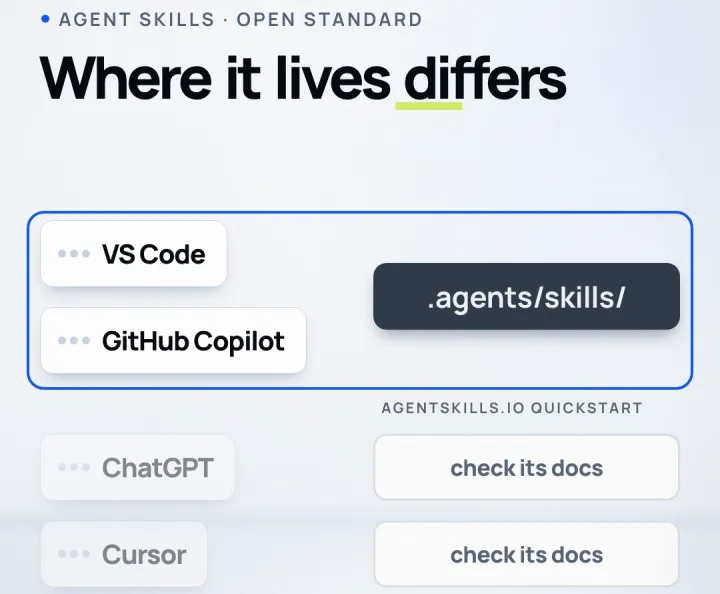
The standard does not say where skill folders must live. Each tool looks in its own place, so the same folder can need a different home in each tool.
Save the folder
- VS Code with GitHub Copilot: the official quickstart puts skills in a .agents/skills/ folder inside your project.
- Many tools also look in .agents/skills/ in a project, or ~/.agents/skills/ for skills you want everywhere on your computer, beside their own folders.
- Any other tool, including ChatGPT and Cursor: check that tool's own help pages for where it reads skills.
- Test it: ask for the task in plain words, without naming the skill, and check that the tool picks it up.
Write this week's SEO report from the export below.
Before you move one
What to check when you move a skill
Check these
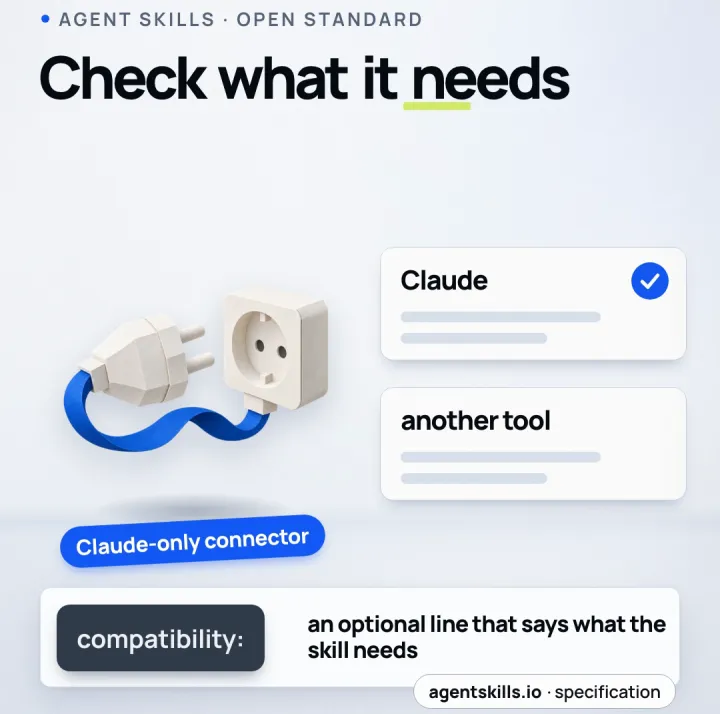
- 01Claude-only tools or connectors: if the instructions rely on one, another tool may not have it, and the results can differ.
- 02The compatibility field: an optional line of up to 500 characters that says what the skill needs, such as a specific tool or internet access.
- 03allowed-tools: the specification marks this field experimental, so another tool may ignore it.
- 04Skills from other people: a skill can include scripts, so read one before you install it.
Files and links
- Anthropic: Donating Agent Skills to the Agentic AI Foundationhttps://www.anthropic.com/news/donating-agent-skills-to-the-agentic-ai-foundation
- Agent Skills specificationhttps://agentskills.io/specification
- Agent Skills quickstarthttps://agentskills.io/skill-creation/quickstart
- Where tools look for skills (adding skills support)https://agentskills.io/client-implementation/adding-skills-support
Keep building
More from Aruntastic
Practical courses for people who want to build useful things with AI.

AI SEO Course 2026: From Zero to Page-One Results
Research search demand, structure useful pages, and work through technical and off-page SEO.
Open the course →
AEO, GEO, AI SEO: Get Cited by ChatGPT, Google, Perplexity
Study how AI search finds information, and make your pages clear enough to be cited.
Open the course →
Microsoft PowerPoint Presentation 2026 for Professionals
Learn visual hierarchy, slide composition, typography and animation through practical work.
Open the course →
AI Agents for Leaders Who Have No Time to Learn AI
If you can delegate to a person, you can delegate to an AI agent. You keep the judgment. For managers and founders.
Open the course →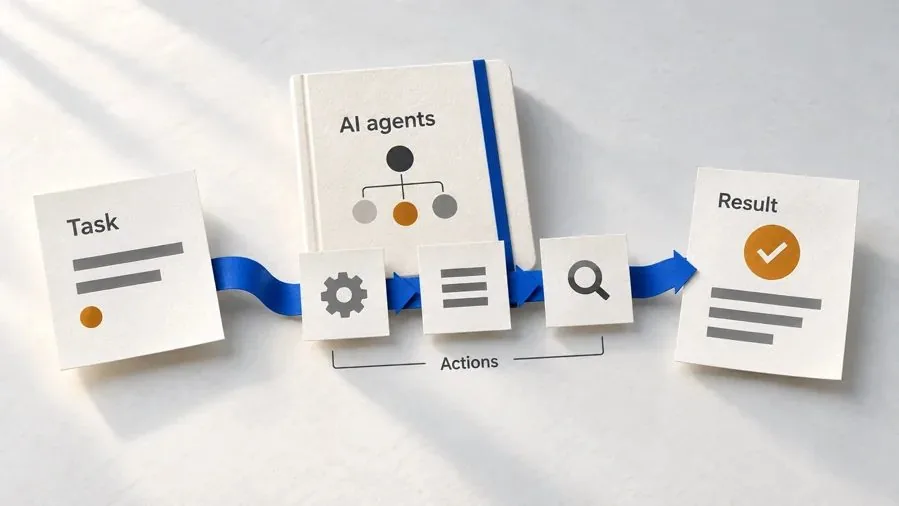
Introduction to Agentic AI and AI Agents
Learn how to direct an AI agent at work, with agentic workflows, RAG and MCP explained from a real first run.
Open the course →Toolkits and programme
Go deeper

Toolkit
SEO Accelerator Toolkit
150+ copy-paste AI prompts for audience research, keywords, content, technical SEO and link building.

Toolkit
GEO Accelerator Toolkit
100 detailed AI prompts for GEO audits, entity building, content structure and client reporting.

Programme
GEO Authority Accelerator
A complete GEO programme on our learner platform: nine modules and a 30, 60, 90 day roadmap. The GEO Accelerator Toolkit is included.
Claude certification practice
Preparing for a Claude certification?
Practice exams written by Arun: 600 questions across 4 mock exams and 2 drill banks. Unofficial preparation, not affiliated with Anthropic.
 CCAR-F
 CCAO-F
 CCDV-F
 CCAR-P
Free skills pack
Seven ready-made Claude Code skills, free.
The First Seven is a free pack of seven Claude Code skills for marketers, SEO consultants and presentation professionals. The Claude Code Without Coding course teaches you to hand repetitive work to Claude step by step.
Get The First Seven Free on GitHub · No email form