Free guide · Claude Code plugin
Catch the flaw in your plan before you build
The AI chat that helped you write a plan has already seen every decision behind it, so when it checks the plan it tends to agree with itself. The Elephant-Goldfish Model, a free open-source plugin from a Google GitHub repository, has fresh AI reviewers check the plan without that conversation. This guide shows the plugin's steps in Claude Code and the same rule for anyone using a plain AI chat.
 Arun Nagarathanam · 4 Nov 2026

Start here
Why the plan needs fresh eyes
When you plan something with an AI chat and then ask the same chat to check it, the reviewer already knows every decision you made together. AI LABS, a YouTube channel that tested the plugin, describes the result: the chat "basically just agrees with itself".
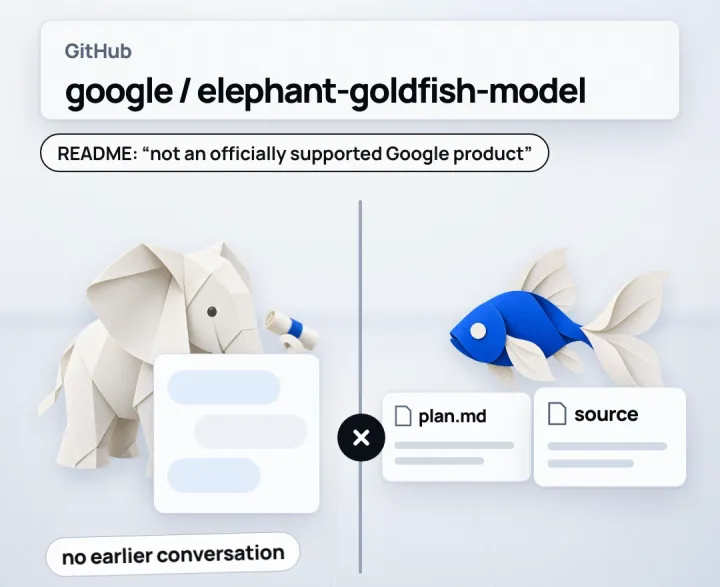
The plugin's README splits the work into three roles. Its tagline is "Design with an elephant. Review with a goldfish."
The three roles, from the README
- 01Elephant: holds your project's context and drafts the plan, which the README calls the specification.
- 02Goldfish: fresh AI reviewers that read the draft and the source material it points to, without the earlier conversation.
- 03You: make the trade-offs, approve the plan and decide what gets built.
Two minutes
Before you start
What you need
- 01Claude Code, the version that can start helper agents (subagents). The README says the review stops if your agent cannot create fresh reviewers.
- 02A project folder and a feature that needs design decisions. For a small, clear bug fix, the README says to use your normal workflow instead.
- 03Room in your plan's limits. The plugin is free, but the review runs several AI helpers, and their usage comes from your Claude plan.
The repository sits under Google's GitHub account and is licensed Apache 2.0. Its README ends with: "This is not an officially supported Google product."
Copy and paste
Install the plugin
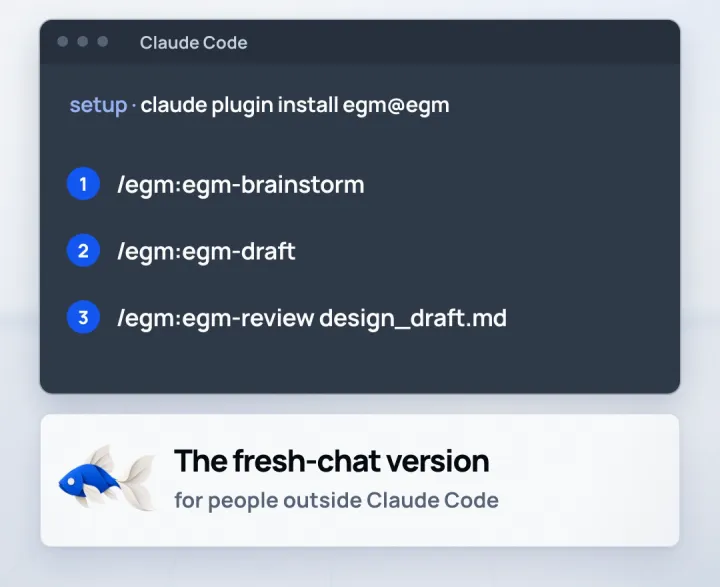
Run these two lines in your terminal, the app where you type commands. Install the complete plugin as shown: the README warns that its skills need the rest of the plugin to work.
claude plugin marketplace add google/elephant-goldfish-model
claude plugin install egm@egm
Then start a new Claude Code session, so it loads the plugin.
In order
Run the three commands
Open your project in Claude Code. In Claude Code every command needs the /egm: prefix.
/egm:egm-brainstorm Add webhook delivery to this project.
Talk through the requirements and trade-offs. Fresh reviewers challenge the idea, and the agreed direction is saved in a file called concepts_brief.md.
/egm:egm-draft
Claude turns the brief into design_draft.md, pausing after each section for your feedback.
/egm:egm-review design_draft.md
After the review
- Read the findings. The fresh reviewers check the design, how clear it is, how it fits your existing work and the plan for building it.
- Choose which findings to address. You do not have to act on every one.
- Approve the plan, then ask Claude Code to build it.
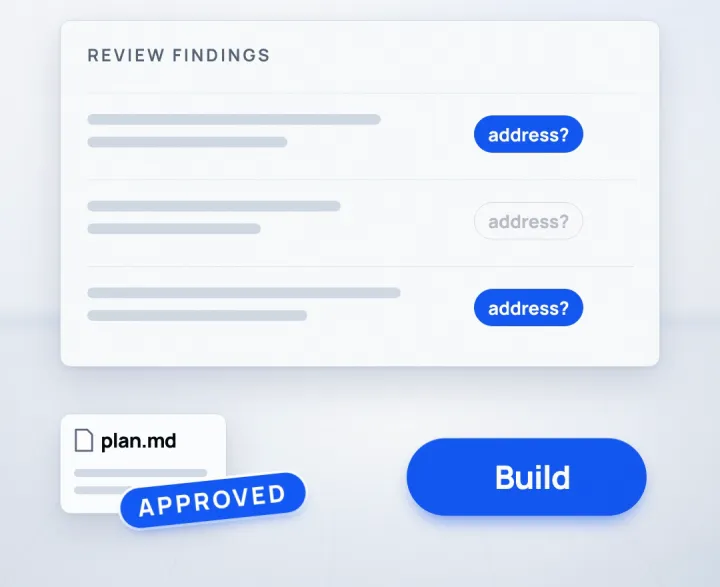
The README is plain about the limits: "A review does not replace tests or human judgment."
No plugin needed
The fresh-chat version
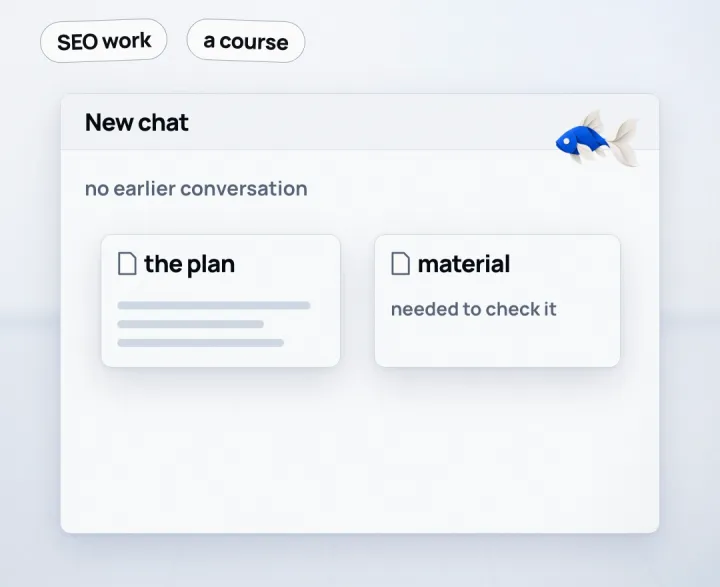
The rule works for an SEO plan, a course outline or a client proposal too: the reviewer should never have seen the conversation that led to the plan.
Borrow the rule
- Open a brand-new chat in the AI tool you use, not the one where you wrote the plan.
- Paste in the plan, and attach only the material needed to check it: the brief, the data or the pages it refers to.
- Ask for a review with the prompt below, before you go ahead.
- Decide yourself which points to act on.
Please review the plan below before I go ahead with it. You have not seen the conversation that produced it, and that is on purpose. Read the plan and the material I have attached, then list anything that is missing, unclear or risky, and say which points you would fix first.
Files and links
- google/elephant-goldfish-model on GitHub (README and install)https://github.com/google/elephant-goldfish-model
- Setup guide for other coding agentshttps://github.com/google/elephant-goldfish-model/blob/main/docs/harnesses.md
- AI LABS: the plugin explained on YouTubehttps://www.youtube.com/watch?v=xxf6D9jynFw
Keep building
More from Aruntastic
Practical courses for people who want to build useful things with AI.

AI SEO Course 2026: From Zero to Page-One Results
Research search demand, structure useful pages, and work through technical and off-page SEO.
Open the course →
AEO, GEO, AI SEO: Get Cited by ChatGPT, Google, Perplexity
Study how AI search finds information, and make your pages clear enough to be cited.
Open the course →
Microsoft PowerPoint Presentation 2026 for Professionals
Learn visual hierarchy, slide composition, typography and animation through practical work.
Open the course →
AI Agents for Leaders Who Have No Time to Learn AI
If you can delegate to a person, you can delegate to an AI agent. You keep the judgment. For managers and founders.
Open the course →
Introduction to Agentic AI and AI Agents
Learn how to direct an AI agent at work, with agentic workflows, RAG and MCP explained from a real first run.
Open the course →Toolkits and programme
Go deeper

Toolkit
SEO Accelerator Toolkit
150+ copy-paste AI prompts for audience research, keywords, content, technical SEO and link building.

Toolkit
GEO Accelerator Toolkit
100 detailed AI prompts for GEO audits, entity building, content structure and client reporting.

Programme
GEO Authority Accelerator
A complete GEO programme on our learner platform: nine modules and a 30, 60, 90 day roadmap. The GEO Accelerator Toolkit is included.
Claude certification practice
Preparing for a Claude certification?
Practice exams written by Arun: 600 questions across 4 mock exams and 2 drill banks. Unofficial preparation, not affiliated with Anthropic.
 CCAR-F
 CCAO-F
 CCDV-F
 CCAR-P
Free skills pack
Seven ready-made Claude Code skills, free.
The First Seven is a free pack of seven Claude Code skills for marketers, SEO consultants and presentation professionals. The Claude Code Without Coding course teaches you to hand repetitive work to Claude step by step.
Get The First Seven Free on GitHub · No email form