Free guide · Higgsfield Katana in Claude
Copy a winning video ad with your product
You have seen a video ad format that works and you want the same kind of edit with your own product. Higgsfield says its Katana workflow recreates the edit of a reference video with your content, and you run it from a Claude chat. This guide walks through the setup, the steps and what to check about cost first.
 Arun Nagarathanam · 30 Oct 2026

Start here
What Katana does
Higgsfield describes Katana as "Recreate edits with your content". On its page it says Katana can "turn a reference video into a full edit with your own characters, products, or scenes". The badge on the page reads "Powered by Claude Motion".
Its MCP page adds that Katana can recreate a reference "with your own subject, pacing, transitions, and visual effects". So the part you copy is the edit: the pacing, the cuts and the effects. For a small business owner or a course creator, that means starting from a video format that already works for you, without editing the video by hand.
Five minutes
What you need
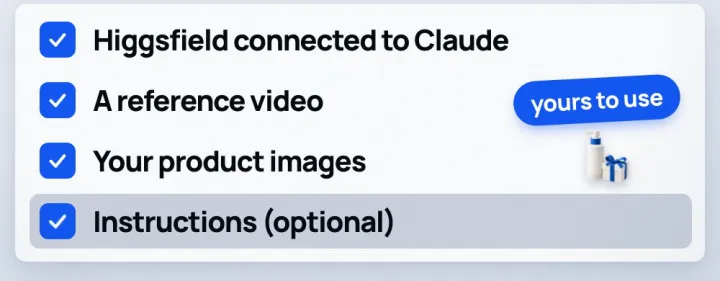
Have these ready
- 01A reference video with the edit you want to recreate. Use one you made yourself or have the right to use.
- 02Clear images of your own product (or the people or scene you want in the video).
- 03A Higgsfield account, connected to Claude (next section).
- 04Claude, where you send the job and ask for changes.
Step by step
The steps in Claude
From reference to your video
- Open the Katana page at higgsfield.ai/katana and choose "Install Higgsfield in Claude". You can also use the MCP page at higgsfield.ai/mcp and choose "Connect to Claude"; the server address it lists is https://mcp.higgsfield.ai/mcp.
- Sign in to Higgsfield when asked and approve the connection.
- On the Katana page, add the reference video: the edit you want to recreate.
- Add your product images under "Add your characters". You can add instructions too; they are optional.
- Choose "Send & Generate in Claude". The job goes to Claude, and the video is made through the Higgsfield connection.
Before step 5, read the cost section below. Generating through Claude uses your Higgsfield plan differently from generating on Higgsfield's website.
After the first result
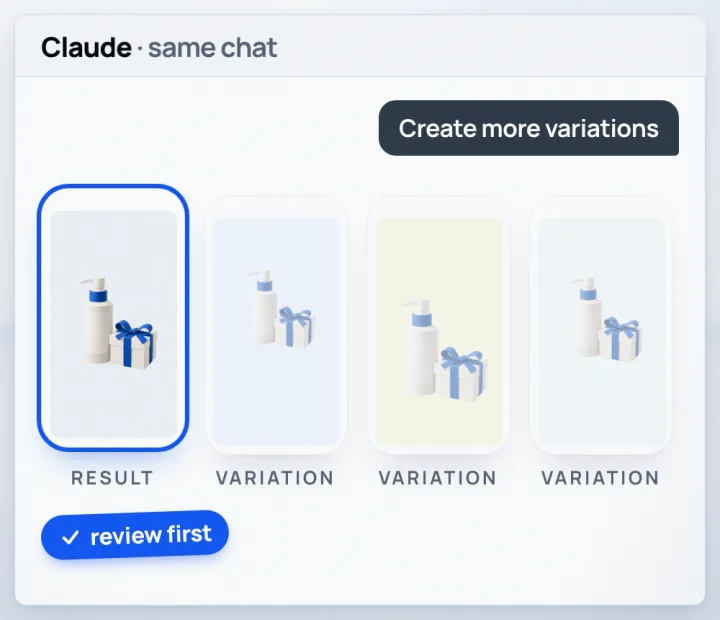
Review, then variations
Higgsfield's page says you can "create more variations directly in Claude". Stay in the same chat, so Claude still has your reference and your product images.
Watch the first result all the way through before you ask for more. Check that your product looks right in every shot and that nothing from the reference video you do not have the right to use is still in it. Each new variation is another generation on your plan.
Before you generate
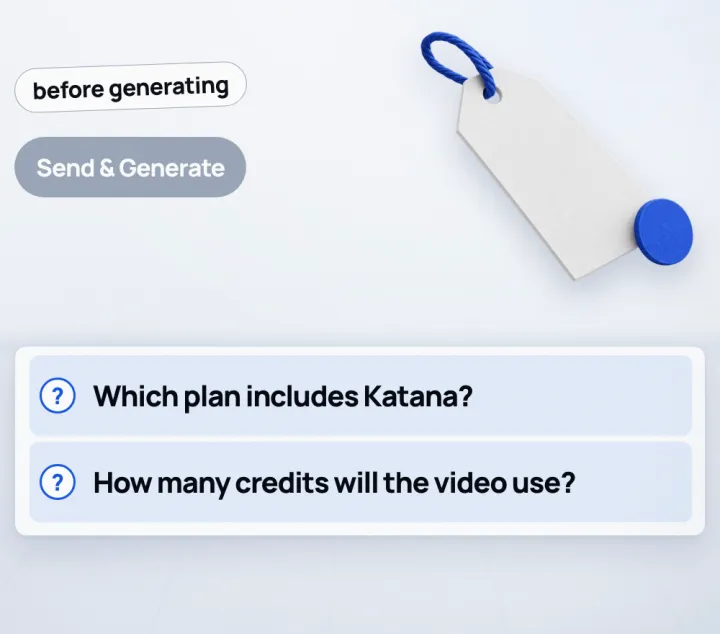
Check the cost first
Higgsfield's pricing page lists Starter at $15/mo billed monthly, and Plus at $49/mo billed monthly or $39/mo billed annually. Those are plan prices, not the price of one video.
The pages do not say which plan includes Katana or how many credits one Katana video uses. Check both inside your Higgsfield account before you choose "Send & Generate in Claude".
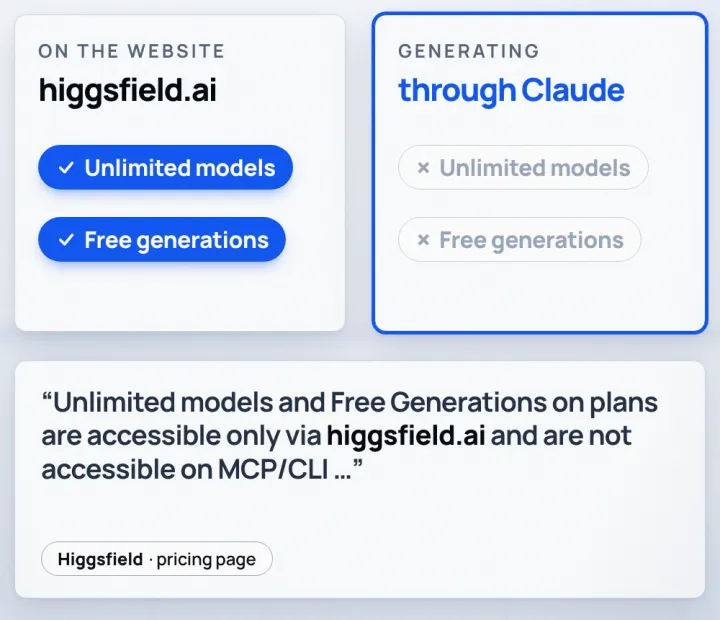
One more thing to know when you compare plans. The pricing page says: "Unlimited models and Free Generations on plans are accessible only via higgsfield.ai and are not accessible on MCP/CLI, Canvas or Supercomputer." Generating through Claude goes through Higgsfield's MCP connection, so those website benefits do not apply there.
Files and links
- Higgsfield Katana pagehttps://higgsfield.ai/katana
- Higgsfield MCP page (Connect to Claude)https://higgsfield.ai/mcp
- Higgsfield pricing pagehttps://higgsfield.ai/pricing
- Higgsfield's Katana launch video on YouTubehttps://www.youtube.com/watch?v=-LNDXx__ZT0
Keep building
More from Aruntastic
Practical courses for people who want to build useful things with AI.

AI SEO Course 2026: From Zero to Page-One Results
Research search demand, structure useful pages, and work through technical and off-page SEO.
Open the course →
AEO, GEO, AI SEO: Get Cited by ChatGPT, Google, Perplexity
Study how AI search finds information, and make your pages clear enough to be cited.
Open the course →
Microsoft PowerPoint Presentation 2026 for Professionals
Learn visual hierarchy, slide composition, typography and animation through practical work.
Open the course →
AI Agents for Leaders Who Have No Time to Learn AI
If you can delegate to a person, you can delegate to an AI agent. You keep the judgment. For managers and founders.
Open the course →
Introduction to Agentic AI and AI Agents
Learn how to direct an AI agent at work, with agentic workflows, RAG and MCP explained from a real first run.
Open the course →Toolkits and programme
Go deeper

Toolkit
SEO Accelerator Toolkit
150+ copy-paste AI prompts for audience research, keywords, content, technical SEO and link building.

Toolkit
GEO Accelerator Toolkit
100 detailed AI prompts for GEO audits, entity building, content structure and client reporting.

Programme
GEO Authority Accelerator
A complete GEO programme on our learner platform: nine modules and a 30, 60, 90 day roadmap. The GEO Accelerator Toolkit is included.
Claude certification practice
Preparing for a Claude certification?
Practice exams written by Arun: 600 questions across 4 mock exams and 2 drill banks. Unofficial preparation, not affiliated with Anthropic.
 CCAR-F
 CCAO-F
 CCDV-F
 CCAR-P
Free skills pack
Seven ready-made Claude Code skills, free.
The First Seven is a free pack of seven Claude Code skills for marketers, SEO consultants and presentation professionals. The Claude Code Without Coding course teaches you to hand repetitive work to Claude step by step.
Get The First Seven Free on GitHub · No email form