Free guide · Claude Code
Write one clear first instruction, then let Claude finish
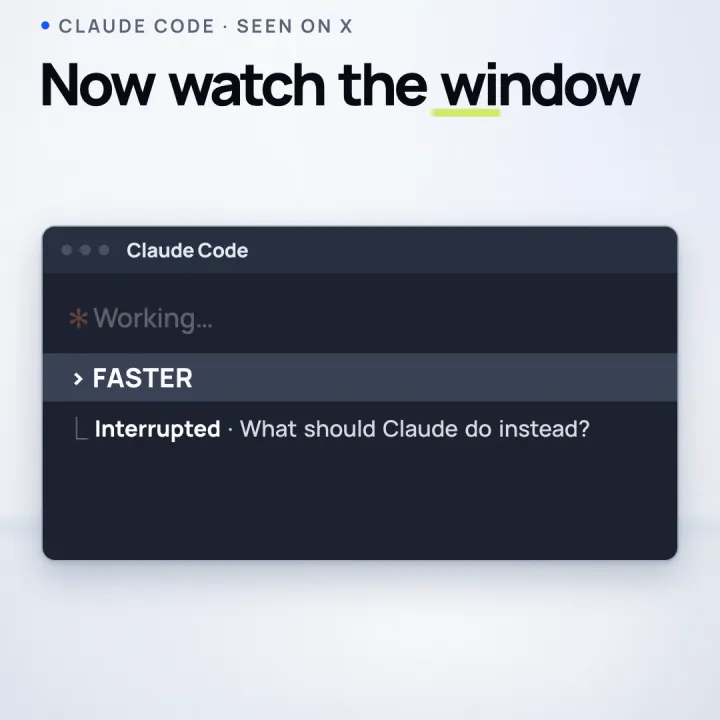
Yuchen Jin shared a clip of a digital whip that cracks over a Claude Code window with messages like FASTER, and the window answers 'Interrupted · What should Claude do instead?' This guide shows what helps more than hurrying: one clear first instruction, then letting Claude finish.
 Arun Nagarathanam · 14 Oct 2026
What the clip shows
Why interrupting stops the work
On 9 October 2026, Yuchen Jin (@Yuchenj_UW) posted a clip of a digital whip. Each crack sends a message such as "FASTER" or "work FASTER" to a Claude Code window, and the window shows "Interrupted · What should Claude do instead?" That wording is from the clip.
The official docs describe what interrupting does. In the terminal, pressing Esc will "stop the current response or tool call mid-turn so you can redirect", and Claude keeps the work done so far. In the desktop app, the stop button interrupts immediately. So each interruption halts what Claude was in the middle of and waits for a new instruction. A message like "faster" gives it nothing new to act on.
What helps is the opposite: a clear first message, then time to finish. The docs put it this way: "The more precise your instructions, the fewer corrections you'll need."
Copy and adapt
The first-instruction template
The docs say Claude can infer intent but can't read your mind, so reference specific files, mention constraints and give it something to check against. Fill in all six lines before you press Enter.
Goal: <what I want, in one sentence>
Context and files: <where the work lives, for example @weekly-sales.xlsx, and anything Claude should know>
Done looks like: <what I should be able to see or open when it is finished>
Constraints: <what Claude must not touch or change, and any limits>
How to check: <how Claude can test its own work before it tells me it is done>
Before you start, show me your plan and wait for my yes.
Why each line is there
- 01Goal and scope: the docs say to scope the task, so Claude knows which file and what situation you mean.
- 02Context and files: use @ to point at a file instead of describing where it lives; Claude reads it first.
- 03Done looks like: Claude stops when the work looks done, so tell it what done means.
- 04Constraints: say what must stay untouched.
- 05How to check: the docs say to give Claude a check it can run, otherwise you become the one checking every mistake.
- 06The last line asks for a plan first, which the next sections cover.
See the difference
Before and after
Here is an everyday task, updating a weekly report. The vague version leaves Claude guessing what "it" is and what "faster" means: faster to run, to read, or to update?
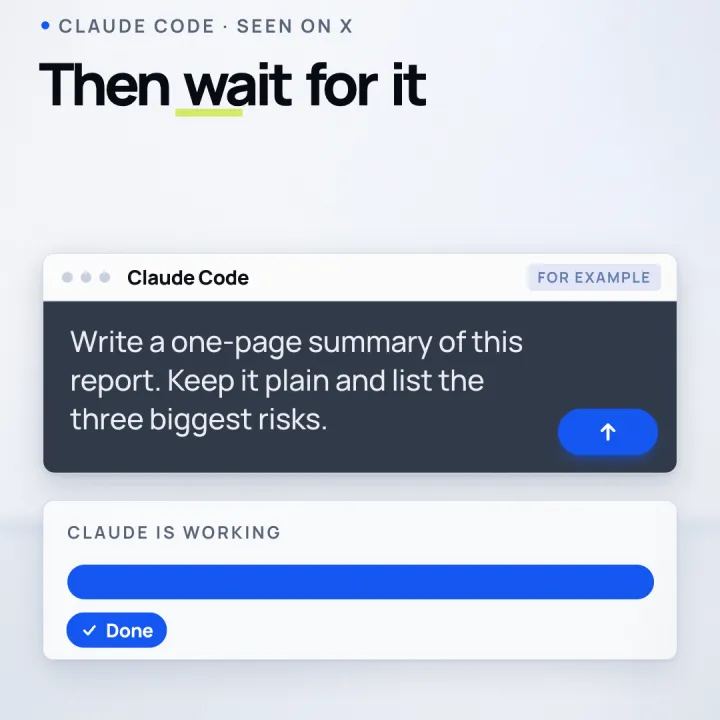
Make it faster.
Goal: cut the time it takes me to update my weekly sales report.
Context and files: today I copy figures by hand from three exports (@north.csv, @south.csv, @online.csv) into @weekly-sales.xlsx, and it takes about 30 minutes every Monday.
Done looks like: one file, weekly-sales-updated.xlsx, with the three exports combined into the same layout as my current sheet, plus a short note on how to repeat it next week.
Constraints: work on copies and leave my original files unchanged. Do not change any column names.
How to check: compare the totals in the new file with the totals in the three exports and show me both.
Before you start, show me your plan and wait for my yes.
The second version names the files, says what finished looks like, protects the originals, and gives Claude a way to check the totals. It will probably still need a tweak or two, but the corrections will be small ones. The docs do say vague prompts can be fine when you are exploring and can afford to course-correct. They are a poor fit when you want a finished result.
During the run
While Claude works
Five habits
- Send the clear first instruction, then watch what Claude does. Reading its steps costs you nothing and does not interrupt it.
- For a bigger task, start in Plan mode. In the desktop app, choose Plan in the mode selector next to the send button: Claude proposes an approach without editing any files. In the terminal, press Shift+Tab until the status bar shows plan mode.
- Read the plan. Approve it, or reply with what to change. Edits stay blocked until you approve.
- Let Claude finish. If you think of something extra, type it and press Enter: in the terminal this queues the message instead of interrupting, and Claude gets it as soon as its current tool calls finish. In the desktop app, Enter sends it without stopping the running action.
- When it says it is done, check the result against the line you wrote under How to check.
Plan mode adds a step, so skip it for small jobs. The docs say that if you could describe the change in one sentence, skip the plan.
Steer on purpose
When to interrupt on purpose
Sometimes stopping is right. The docs say to correct Claude as soon as you notice it going off track. Use it when Claude is clearly working on the wrong thing, such as the wrong file, the wrong approach, or something you said must not change.
How to redirect
- Stop it: press Esc in the terminal, or click the stop button in the desktop app. Context is preserved, so you can redirect.
- Send one clear message that says what is wrong and what to do instead (example below). Not three messages in a row.
- If it changed something you did not want, tell it to undo that, or press Esc twice or run /rewind to restore an earlier state.
- If you have corrected the same problem more than twice, run /clear and start again with a more specific first instruction that includes what you learned.
Stop. You are combining the exports by region, but I need them combined by product. Keep what you have done so far, switch to grouping by product, and tell me when it is done and what totals you checked.
Files and links
- Official docs: best practiceshttps://code.claude.com/docs/en/best-practices
- Official docs: interactive mode and shortcutshttps://code.claude.com/docs/en/interactive-mode
- Official docs: get started with the desktop apphttps://code.claude.com/docs/en/desktop-quickstart
- Official docs: permission modes and plan modehttps://code.claude.com/docs/en/permission-modes
- Yuchen Jin's post on Xhttps://x.com/Yuchenj_UW/status/2108394698482368527
Keep building
More from Aruntastic
Practical courses for people who want to build useful things with AI.

AI SEO Course 2026: From Zero to Page-One Results
Research search demand, structure useful pages, and work through technical and off-page SEO.
Open the course →
AEO, GEO, AI SEO: Get Cited by ChatGPT, Google, Perplexity
Study how AI search finds information, and make your pages clear enough to be cited.
Open the course →
Microsoft PowerPoint Presentation 2026 for Professionals
Learn visual hierarchy, slide composition, typography and animation through practical work.
Open the course →
AI Agents for Leaders Who Have No Time to Learn AI
If you can delegate to a person, you can delegate to an AI agent. You keep the judgment. For managers and founders.
Open the course →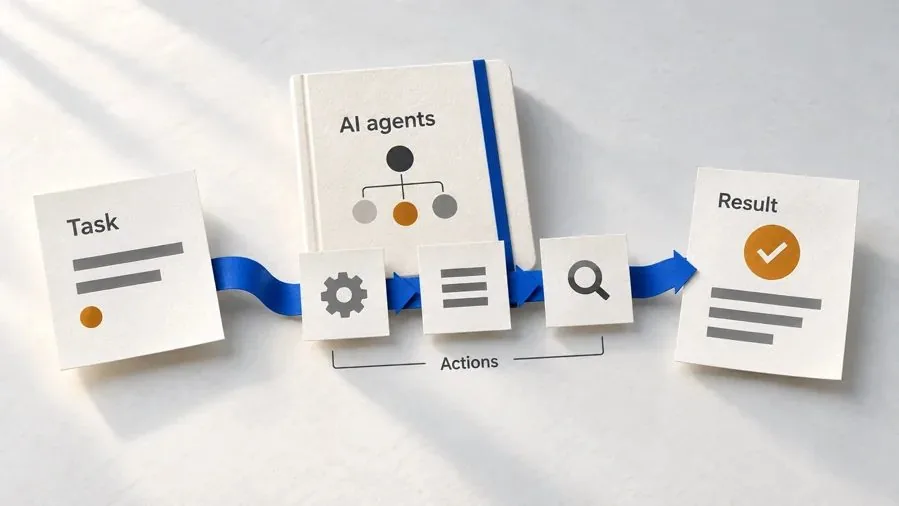
Introduction to Agentic AI and AI Agents
Learn how to direct an AI agent at work, with agentic workflows, RAG and MCP explained from a real first run.
Open the course →Toolkits and programme
Go deeper

Toolkit
SEO Accelerator Toolkit
150+ copy-paste AI prompts for audience research, keywords, content, technical SEO and link building.

Toolkit
GEO Accelerator Toolkit
100 detailed AI prompts for GEO audits, entity building, content structure and client reporting.

Programme
GEO Authority Accelerator
A complete GEO programme on our learner platform: nine modules and a 30, 60, 90 day roadmap. The GEO Accelerator Toolkit is included.
Claude certification practice
Preparing for a Claude certification?
Practice exams written by Arun: 600 questions across 4 mock exams and 2 drill banks. Unofficial preparation, not affiliated with Anthropic.
 CCAR-F
 CCAO-F
 CCDV-F
 CCAR-P
Free skills pack
Seven ready-made Claude Code skills, free.
The First Seven is a free pack of seven Claude Code skills for marketers, SEO consultants and presentation professionals. The Claude Code Without Coding course teaches you to build your own tools step by step.
Get The First Seven Free on GitHub · No email form