Free guide · Claude and CapCut
Let Claude rough-cut your next CapCut video
Matt Loui showed Claude making the cuts in a talking-head video while CapCut was closed. Claude writes CapCut's own project files, so when you reopen CapCut the rough cut is there and you can still change anything. This guide walks through his steps and says which parts you still do yourself.
 Arun Nagarathanam · 5 Nov 2026

Start here
How it works
CapCut keeps every project as files on your computer: they record where each clip sits and where each cut happens. In his YouTube video of 23 October 2026, Matt Loui asks the Claude desktop app to edit those files directly. CapCut stays closed the whole time, and Claude does not click around the app.
When he opens CapCut again, the edited timeline is there. It is still a normal CapCut project, so he can move clips and make his own changes before exporting.
Five minutes
Before you start
What you need
- 01CapCut desktop on your computer. CapCut Web won't work. Matt's skill was tested on a Mac with CapCut 9.5.
- 02The Claude desktop app on a paid plan. Matt uses Claude Pro.
- 03Your raw talking-head recording, plus any screen recordings, pictures or music you want in the edit.
- 04Time. Claude takes a while on the first project, so start it and come back later.
In CapCut
Prepare the CapCut project
Do this in CapCut
- Create a fresh project and add your raw video and any extra files to its media.
- Rename the project to something unique you will remember. Claude finds the project by this name.
- Close the project and check the new name shows in CapCut's main window.
- Quit CapCut completely (Cmd+Q on a Mac). Matt's skill warns that CapCut can overwrite Claude's changes when it closes, so CapCut must be fully closed before Claude writes anything.
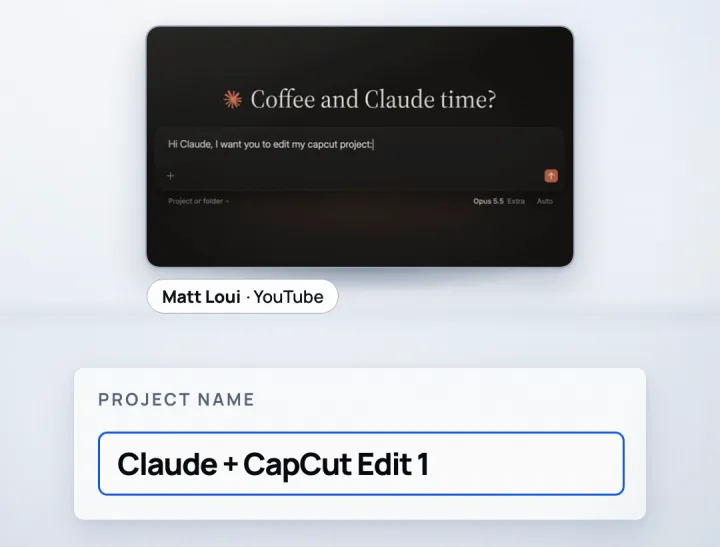
In Claude
The prompt
This is Matt's prompt from his public prompts doc, word for word. Put your own project name in the brackets and name your own music folder in task 6.
Hi Claude, I want you to edit my capcut project: (project name). Here's your tasks: 1. Sync any screen recordings to the video (at the right moment), 2. Make cuts to remove repeats, errors, long pauses and anything out of place. 3. Cut between me and the screen recording when necessary 4. Add an adjustment layer with some saturation, contrast and lower shadows. 5. Add slow, smooth zooms on my camera when an intriguing point happens. 6. Add music from my creative folder (intrigue). 7. Any generated assets need to work in CapCut, write correctly for CapCut to be able to access these files. 8. We'll build motion graphics for this entire video once complete. 9. Do NOT use computer use or open CapCut. Build the timeline by writing the project files directly through file access to my Mac. 10. Ask me questions to confirm.
Task 8 belongs to Matt's optional motion-graphics step, which needs a separate paid service. If you only want the rough cut, you can delete task 8.
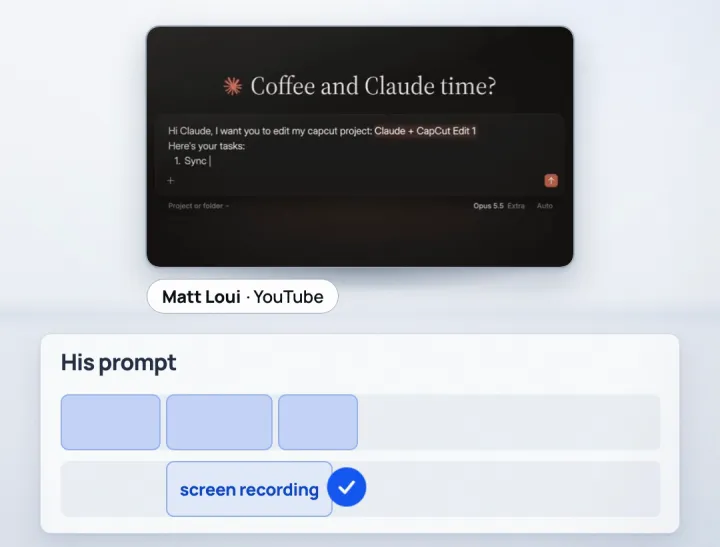
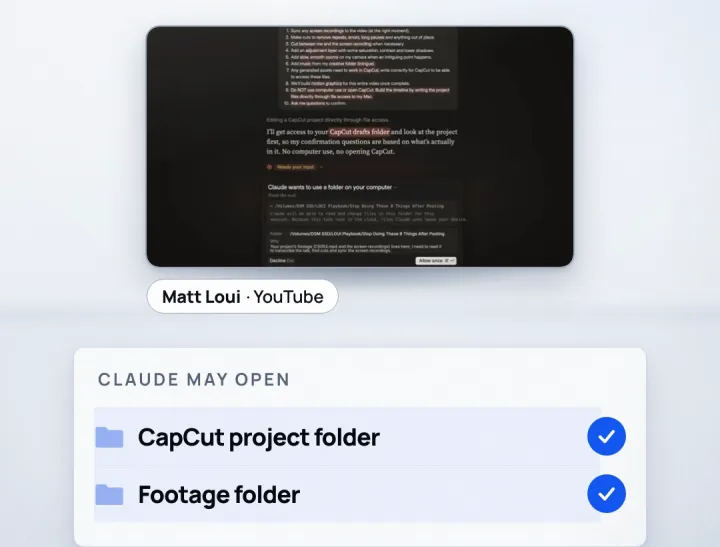
After you send the prompt, Claude asks permission to open your CapCut folder and the drive or folder where your footage is saved. Allow only those two. Then answer the questions Claude asks to confirm the edit, and let it work.
Back in CapCut
Reopen CapCut and finish
Your part
- When Claude says it is done, open CapCut and open the project. The edited timeline should be there.
- If CapCut shows a pop-up saying some media files are missing, use it to find and relink them.
- Watch the whole edit. Matt moves a graphic that landed on a jump cut and turns up the contrast on the adjustment layer. Fix anything Claude missed, such as a pause or a stutter.
- Export from CapCut as usual.
Next time
Use it again next time
Matt suggests two ways to avoid setting this up from scratch every time. After your own changes, quit CapCut and, in the same Claude chat, ask Claude to re-analyse the project and compare it with its edit so it learns how you like your videos cut. Then ask it to write a skill from the chat.
Or install the free skill Matt links in his video description: in the Claude app go to Settings, Skills, Add, Upload a skill, and drag the file in. Read a skill before you install it, and do not run scripts from it that you have not read.
Files and links
- Matt Loui's video on YouTubehttps://www.youtube.com/watch?v=U-AdnIz1jIk
- Matt's prompts dochttps://docs.google.com/document/d/1qtpbmYCOSuxu_bOT7M5emp1r2YkZAE6Pg5S6RIq--I4/
- Matt's free skill (Google Drive)https://drive.google.com/file/d/103y1YEyfLMY-sPQOm8Hpv97fvxxZOM4V/view
Keep building
More from Aruntastic
Practical courses for people who want to build useful things with AI.

AI SEO Course 2026: From Zero to Page-One Results
Research search demand, structure useful pages, and work through technical and off-page SEO.
Open the course →
AEO, GEO, AI SEO: Get Cited by ChatGPT, Google, Perplexity
Study how AI search finds information, and make your pages clear enough to be cited.
Open the course →
Microsoft PowerPoint Presentation 2026 for Professionals
Learn visual hierarchy, slide composition, typography and animation through practical work.
Open the course →
AI Agents for Leaders Who Have No Time to Learn AI
If you can delegate to a person, you can delegate to an AI agent. You keep the judgment. For managers and founders.
Open the course →
Introduction to Agentic AI and AI Agents
Learn how to direct an AI agent at work, with agentic workflows, RAG and MCP explained from a real first run.
Open the course →Toolkits and programme
Go deeper

Toolkit
SEO Accelerator Toolkit
150+ copy-paste AI prompts for audience research, keywords, content, technical SEO and link building.

Toolkit
GEO Accelerator Toolkit
100 detailed AI prompts for GEO audits, entity building, content structure and client reporting.

Programme
GEO Authority Accelerator
A complete GEO programme on our learner platform: nine modules and a 30, 60, 90 day roadmap. The GEO Accelerator Toolkit is included.
Claude certification practice
Preparing for a Claude certification?
Practice exams written by Arun: 600 questions across 4 mock exams and 2 drill banks. Unofficial preparation, not affiliated with Anthropic.
 CCAR-F
 CCAO-F
 CCDV-F
 CCAR-P
Free skills pack
Seven ready-made Claude Code skills, free.
The First Seven is a free pack of seven Claude Code skills for marketers, SEO consultants and presentation professionals. The Claude Code Without Coding course teaches you to hand repetitive work to Claude step by step.
Get The First Seven Free on GitHub · No email form