Free guide · AI agents and your accounts
Connect an AI agent without handing over your keys
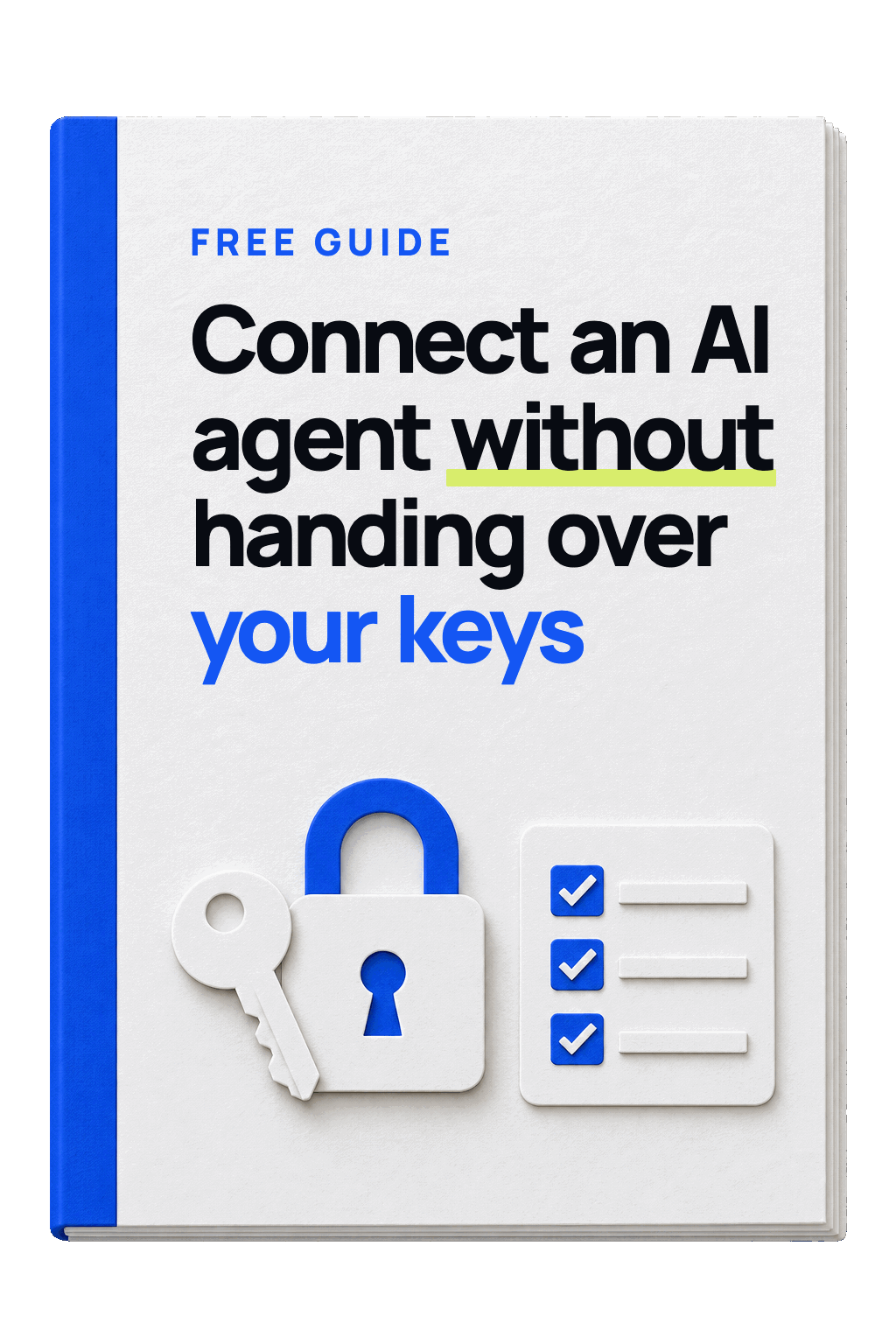
A CBS News headline said AI agents were accessing bank accounts without approval. The Axios story behind it says users generally gave the agents permission and their own login details; the approval that was missing was usually the bank's. This checklist covers what to check before an agent sends a message or pays for something on your behalf.
 Arun Nagarathanam · 30 Oct 2026
Start here
What "without approval" meant
On 22 October 2026, Axios reported that major U.S. banks are detecting third-party AI agents operating inside customer accounts. CBS News covered it the next day under the headline "AI agents accessing bank accounts without approval, report says".
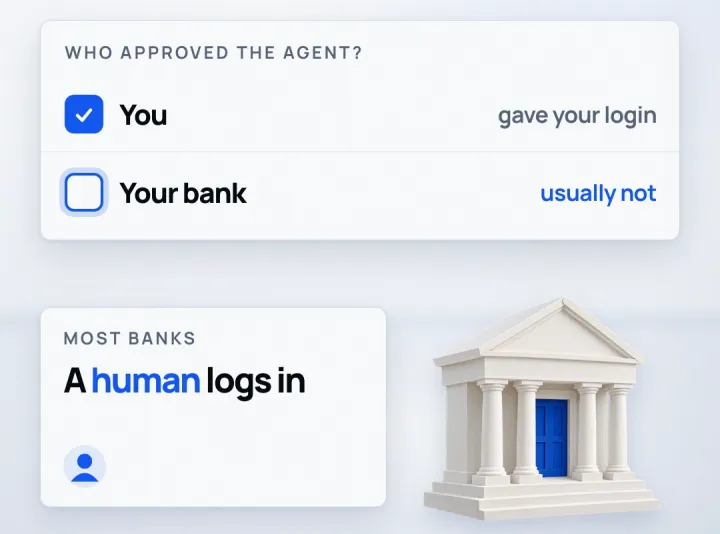
Axios describes these as generally situations where an agent accesses an account with the user's permission and login details. That still goes against the rules of most banks, which require a human to log in to their own account. So the approval that was missing was usually the bank's, not yours.
Axios also reported agent activity that appeared to go beyond users' instructions, and banks that could not always tell whether a user had authorised it. The story names no AI product and gives no incident count, no losses and no evidence of money being moved. Morgan Stanley told Axios it hadn't observed rogue AI agents on its platforms.
Before you connect anything
The checklist
Six checks
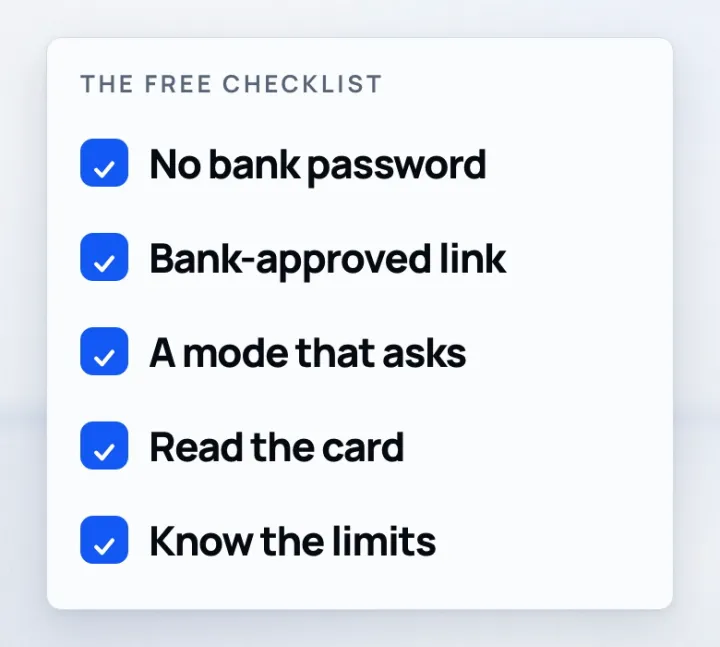
- Keep your bank username and password to yourself.
- Ask your bank which connections it approves, ideally read-only.
- Pick the approval mode that asks you before each action.
- Read the approval card before you tap approve.
- Keep passwords and money moves away from the agent.
- Check what it can reach, and stop at the first odd sign.
Checks 1 and 2
Your login and your bank
Keep your bank password out of the agent. A Chase spokesperson told Axios that customers should not give their usernames and passwords to anyone. Most banks require humans to log in to their own accounts, so an agent logged in as you can go against your bank's terms. Check your bank's terms before you connect anything.
Ask your bank which connections it approves. Axios reports that most banks have allowed, or are moving toward, read-only access, which lets an app see your financial information without taking action. Banks already allow this for apps like Quicken. JPMorgan Chase told CBS it supports customer-authorized data sharing through open banking providers.
Check 3
A mode that asks you
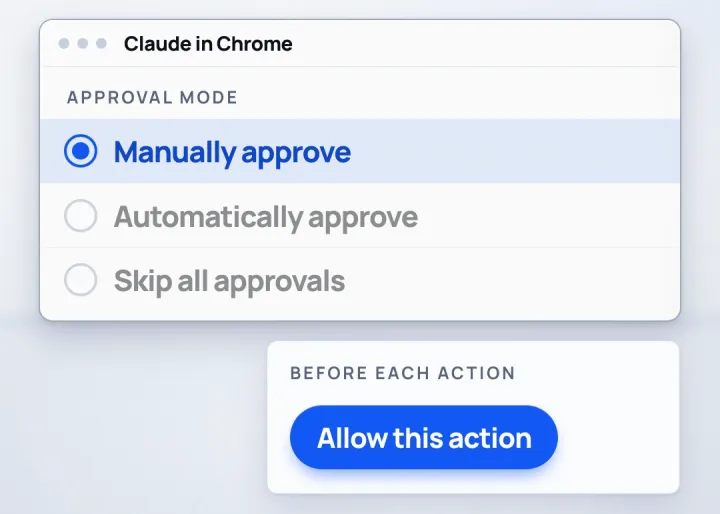
Claude in Chrome, Anthropic's browser extension, has three approval modes. Manually approve asks before each action. Automatically approve reviews each action and blocks unsafe ones. Skip all approvals means nothing checks its actions automatically; Anthropic says to use it only when you completely trust every action.
When it asks, Allow this action is the safest choice. "Always allow actions on this site" is only for sites you completely trust. For work with real consequences, such as money, messages sent as you or important files, Anthropic suggests staying close or switching back to Manually approve.
Claude in Chrome needs a paid Claude plan (Pro, Max, Team or Enterprise) and Google Chrome on a computer.
Check 4
Read the card before you approve
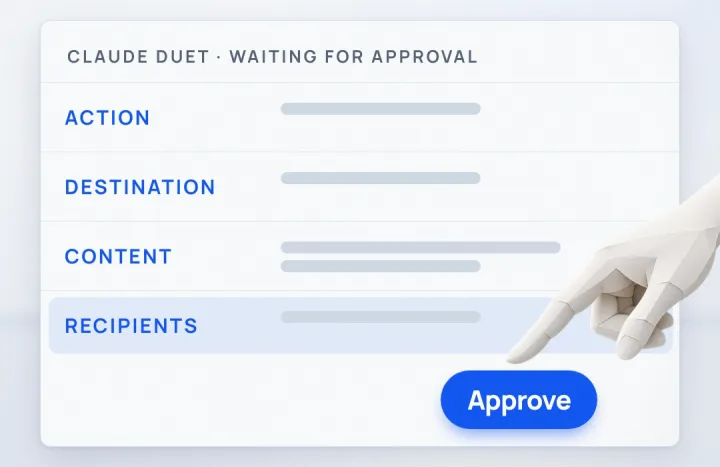
Before Claude Duet sends a potentially sensitive message, pays for something or deletes anything, Anthropic says it shows you the action, the destination and the content, including every recipient, and then waits for your approval.
Read the recipient and the amount before you tap. Anthropic itself names approval fatigue: too many requests teach people to tap through them. Paying or sending money is never covered by "don't ask me again".
Checks 5 and 6
What stays on you
Keep these in mind
- 01Duet never sees your passwords, and it won't move money between accounts, trade securities or open someone else's account, even with your approval.
- 02Claude in Chrome will not make purchases or financial transactions, create accounts or permanently delete things, whatever its permissions.
- 03Claude can't filter sensitive content out of the screenshots it sees. Anthropic suggests a separate Chrome profile without your sensitive accounts.
- 04To see what Claude in Chrome can reach: extension icon, three dots, Extension settings, then Permissions. You can review approved sites and permission history and revoke access there.
- 05Stop the task if Claude suddenly talks about unrelated topics, opens sites you did not expect or asks for sensitive information.
- 06Anthropic says you remain responsible for actions Claude takes in your browser on your behalf.
Duet is a research preview, and Anthropic says its safeguards will occasionally miss something. None of these settings makes bank access risk-free; they decide how often you get to check before something happens.
Files and links
- Axios: Unvetted AI agents are accessing U.S. bank accountshttps://www.axios.com/2026/10/22/ai-agents-banks-unauthorized-accounts-access
- CBS News on YouTubehttps://www.youtube.com/watch?v=pjkbC1dCBiw
- Anthropic help: Claude in Chrome permissions guidehttps://support.claude.com/en/articles/12902446-claude-in-chrome-permissions-guide
- Anthropic help: use Claude in Chrome safelyhttps://support.claude.com/en/articles/12902428-use-claude-in-chrome-safely
- Anthropic: Claude Duet safety, privacy and securityhttps://claude.com/resources/articles/claude-duet-safety-privacy-and-security
Keep building
More from Aruntastic
Practical courses for people who want to build useful things with AI.

AI SEO Course 2026: From Zero to Page-One Results
Research search demand, structure useful pages, and work through technical and off-page SEO.
Open the course →
AEO, GEO, AI SEO: Get Cited by ChatGPT, Google, Perplexity
Study how AI search finds information, and make your pages clear enough to be cited.
Open the course →
Microsoft PowerPoint Presentation 2026 for Professionals
Learn visual hierarchy, slide composition, typography and animation through practical work.
Open the course →
AI Agents for Leaders Who Have No Time to Learn AI
If you can delegate to a person, you can delegate to an AI agent. You keep the judgment. For managers and founders.
Open the course →
Introduction to Agentic AI and AI Agents
Learn how to direct an AI agent at work, with agentic workflows, RAG and MCP explained from a real first run.
Open the course →Toolkits and programme
Go deeper

Toolkit
SEO Accelerator Toolkit
150+ copy-paste AI prompts for audience research, keywords, content, technical SEO and link building.

Toolkit
GEO Accelerator Toolkit
100 detailed AI prompts for GEO audits, entity building, content structure and client reporting.

Programme
GEO Authority Accelerator
A complete GEO programme on our learner platform: nine modules and a 30, 60, 90 day roadmap. The GEO Accelerator Toolkit is included.
Claude certification practice
Preparing for a Claude certification?
Practice exams written by Arun: 600 questions across 4 mock exams and 2 drill banks. Unofficial preparation, not affiliated with Anthropic.
 CCAR-F
 CCAO-F
 CCDV-F
 CCAR-P
Free skills pack
Seven ready-made Claude Code skills, free.
The First Seven is a free pack of seven Claude Code skills for marketers, SEO consultants and presentation professionals. The Claude Code Without Coding course teaches you to hand repetitive work to Claude step by step.
Get The First Seven Free on GitHub · No email form